Look, I'm gonna be real with you. I've burned through more thumbnail tools than I care to admit, chasing that perfect click-through rate. Some promised the moon and delivered a potato. Others? Complete game-changers.
After testing these tools for months on my own channels (and watching my CTR swing from 2% to 12%), here's the honest breakdown of what actually works for YouTube thumbnail optimization in 2026.
Why Your Thumbnails Are Make-or-Break in 2026
Here's the thing everyone talks about but few creators actually track: thumbnails can make or break your video before anyone even reads your title. I've seen identical videos with different thumbnails pull completely different view counts. We're talking 10x differences.
The YouTube algorithm has gotten scary good at detecting which thumbnails grab attention in those crucial first seconds. But here's where it gets interesting: what worked in 2024 isn't cutting it anymore. The algorithm got smarter, audiences got pickier, and the competition got way more intense.
1. Voclify: The Dark Horse That Surprised Me
Honestly, I wasn't expecting much when I first tried Voclify's thumbnail tools. But damn, this thing knows YouTube.
What makes it different: The AI actually learns from your channel's performance data. Not just generic "bright colors work better" advice, but real insights based on your actual audience.
I uploaded my last 20 thumbnails, and it immediately called out why some flopped (too busy, faces too small) while others crushed it. The thumbnail generator creates variations that feel like they belong on your specific channel, not some generic stock photo collection.
The testing feature lets you A/B test thumbnails before you even publish. Game changer? Yeah, pretty much.
One other thing worth mentioning: because Voclify is a full creator toolkit, you can optimize your titles and thumbnails together. That combination matters more than most people realize for overall CTR.
Best for: Creators who want data-driven thumbnail optimization, not just pretty pictures
Pricing: Starts around $15/month, which feels fair for what you get
The catch: Still newer than some competitors, so the template library isn't massive yet
2. Canva: The Safe (But Predictable) Choice
We all know Canva. It's like the Honda Civic of design tools. reliable, gets the job done, but won't blow your mind.
Their AI features have gotten better, I'll give them that. The Magic Resize for different platforms is clutch, and the background remover actually works most of the time now.
What I like: Massive template library, works for everything (not just YouTube), collaboration features are solid
What drives me crazy: Templates feel cookie-cutter. Your thumbnails end up looking like everyone else's. The AI suggestions are pretty generic too. And honestly, Canva is designed by graphic designers, not creators. The thumbnails look pretty but often miss the psychological triggers that actually get clicks.
Best for: Beginners who need templates and aren't ready to get fancy
Real talk: If you're serious about standing out, you'll outgrow Canva fast
3. ThumbnailTest: Built for A/B Testing Obsessives
This tool does one thing really well: testing. If you're the type who wants to split-test everything (guilty), ThumbnailTest is your jam.
You upload multiple thumbnail options, it rotates them automatically, and shows you which one's pulling better numbers. The data visualization is actually pretty sweet.
The good: Detailed analytics, automatic rotation, works with any thumbnail (doesn't matter where you made it)
The annoying: Doesn't help you make thumbnails, just test them. You still need another tool for creation. Also worth flagging: you need decent traffic for the A/B tests to be statistically significant. If you're pulling less than 10K views per video, this is probably overkill.
Price reality check: Around $24/month just for testing feels steep when other tools include creation + testing
4. VidIQ: The Analytics Monster
VidIQ has been around forever, and their thumbnail insights are buried in a mountain of other features. Which is both good and frustrating.
Their thumbnail analyzer gives you scores and suggestions, plus they show you competitor thumbnails in your niche. The data is solid, but finding what you need feels like digging through a toolbox. One genuinely useful thing though: the analyzer scores your thumbnail on factors like contrast, text readability, and emotional appeal. And because it's integrated with their keyword research, you can optimize thumbnails and SEO at the same time, which is a nice workflow.
Strengths: Incredible market research, shows trending thumbnail styles in your niche, good integration with YouTube Studio
Weaknesses: Not primarily a thumbnail tool, so the features feel scattered. Creating thumbnails still requires other software
Who should use it: Creators who want thumbnail insights as part of a bigger analytics package
5. Fotor: The Underdog Worth Watching
Honestly surprised by this one. Fotor's AI thumbnail generator has been quietly getting really good. Their face detection and text placement algorithms actually understand YouTube thumbnail best practices.
The templates don't all look the same (looking at you, Canva), and the AI suggestions for text placement actually make sense.
Pleasant surprises: Good face detection, understands YouTube dimensions, decent free tier
Room for improvement: Testing features are basic, analytics could be deeper
6. Snappa: Simple But Limited
Snappa wants to be the simple alternative to Canva, and mostly succeeds. Clean interface, good templates, reasonable pricing.
But for YouTube specifically? It feels like an afterthought. The templates work fine, but there's no real YouTube-specific intelligence built in.
Best for: Creators who want something cleaner than Canva but aren't power users
Skip if: You want AI insights or testing features
The Thumbnail Testing Strategy That Actually Works
Here's what I've learned after testing hundreds of thumbnails: most creators are testing wrong.
Don't just A/B test random variations. Test these specific elements:
- Face size and position (bigger faces usually win, but not always)
- Text readability at mobile size (most people watch on phones)
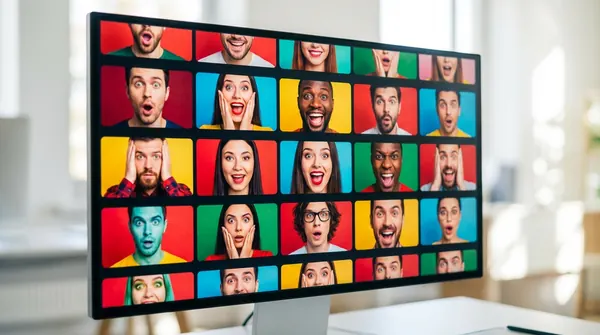
- Emotional expressions (surprised faces are overused, try others)
- Color contrast with YouTube's interface (your thumbnail needs to pop in dark mode too)
Tools like Voclify and ThumbnailTest make this systematic instead of guesswork.
What Nobody Talks About: The Mobile Problem
Real talk: 70% of YouTube viewing happens on mobile. Your beautiful desktop thumbnail might look like garbage on a 5-inch screen.
Most thumbnail tools let you preview at desktop size, which is basically useless. The smart ones (Voclify, VidIQ) show you mobile previews by default.
Quick test: look at your thumbnails on your phone. Can you read the text? Can you tell what emotion the person is showing? If not, your thumbnails are failing where it matters most.
My Current Workflow (What I Actually Use)
After testing everything, here's my actual process:
1. Research with VidIQ: See what's working in my niche
2. Create with Voclify: Generate variations based on my channel data
3. Quick test with ThumbnailTest: A/B test the top 2-3 options
4. Fallback to Canva: When I need something specific their templates can't handle
Is this overkill? Maybe. But when a good thumbnail can 3x your views, the extra 10 minutes feels worth it.
Key Takeaways: What Actually Matters in 2026
- AI tools are getting scary good at predicting what works, but they need your channel's data to be useful
- A/B testing is crucial, but test systematically (not just random variations)
- Mobile optimization isn't optional anymore, it's where your views come from
- Generic templates make you blend in when you need to stand out
- The best thumbnail tool is the one you'll actually use consistently
Bottom line? If you're just starting out, grab Canva and focus on making videos. But if you're serious about growth, invest in tools that actually understand YouTube's ecosystem.
What's your current thumbnail workflow? Drop a comment and let me know which tools have actually moved the needle for your CTR. And if you're tired of guessing what works, give Voclify's thumbnail tools a shot. The data insights alone might surprise you. Voclify starts at around $15 per month, which the article describes as fair for what you get. It includes both thumbnail creation and A/B testing features before you even publish a video. According to the article, 70% of YouTube viewing happens on mobile, which means most thumbnails need to be optimized for small screens. The article specifically calls out Voclify and VidIQ as tools that show mobile previews by default. Yes, the author tested this on their own channels and saw CTR swing from 2% to 12% depending on the thumbnail. They also mention seeing identical videos pull completely different view counts with different thumbnails, sometimes 10x differences. Probably not yet. You need decent traffic for A/B tests to be statistically significant. If you're getting less than 10K views per video, the data won't be reliable enough to act on and the cost is hard to justify.FAQ
how much does Voclify cost for thumbnail tools?
what percentage of YouTube views happen on mobile?
can thumbnail changes actually make a big difference in views?
is ThumbnailTest worth it if my channel is still small?

Get more of this in your Google results
Add voclify.io as a preferred source and Google shows you more of our articles in Search and AI Mode.


