Here's what nobody tells you about building a YouTube content calendar: it's not just about posting consistently. It's about creating a system that saves your sanity while actually growing your channel.
I've watched too many creators burn out because they treated content planning like throwing darts at a wall. One week they're posting daily, the next week they disappear for a month. Sound familiar?
Why Most Content Calendars Fail (And How to Fix Yours)
Most creators approach content calendars backward. They focus on quantity over strategy, cramming random video ideas into dates without thinking about their audience's journey or their own capacity.
Real talk: I used to be one of those creators. I'd plan 30 videos in one ambitious afternoon, then burn out by video three because I didn't consider production time, seasonal trends, or what my audience actually wanted.
The creators who nail this understand that a content calendar for YouTube needs three things: realistic scheduling, strategic variety, and built-in flexibility. Everything else is just pretty colors on a spreadsheet.
Start With Your Content Pillars (Not Random Ideas)
Before you even open Google Calendar, you need to know your content pillars. These are the 3-5 core topics that define your channel.
For a tech channel, it might be: product reviews, tutorials, industry news, and behind-the-scenes content. For a fitness channel: workouts, nutrition, motivation, and Q&A sessions.
Here's why this matters: when you're staring at a blank calendar at 2 AM wondering what to post next week, having defined pillars gives you a framework instead of panic.
I allocate specific days to specific pillars. Mondays might always be tutorials, Fridays could be community posts. This creates predictability for your audience and makes planning way easier for you.
The 70-20-10 Rule That Actually Works
This is where most creators mess up their content mix. They either play it too safe or go too experimental.
The 70-20-10 rule breaks down like this:
- 70% proven content: Topics you know perform well for your audience
- 20% trending content: Current events, viral topics in your niche
- 10% experimental content: New formats, wild ideas, passion projects
That 70% is your bread and butter. It's what keeps the algorithm happy and your audience engaged. The 20% keeps you relevant and discoverable. The 10%? That's where breakthrough moments happen.
But here's the thing: you need to earn that 10%. If your channel isn't stable yet, stick closer to 80-15-5 until you build momentum.
Seasonal Planning: The Secret Weapon
YouTube's algorithm loves timely content, but most creators are terrible at planning ahead. They're making Valentine's Day content on February 13th instead of January 1st.
I plan seasonal content at least 6-8 weeks in advance. Holiday content, back-to-school themes, New Year motivation. These videos often become my biggest performers because they ride natural search trends.
Tools like Voclify can help you brainstorm seasonal video ideas with their AI-powered title generator. It's not perfect for everything, but for seasonal content brainstorming, it's surprisingly solid.
Mark these seasonal opportunities in your calendar first, then build around them. Don't let Christmas sneak up on you again.
Batching Content: Your Sanity Depends on It
One video per day sounds manageable until you're editing at midnight for the third week straight. Smart creators batch their content production.
I shoot 4-6 videos in one day, then spend the next week editing and optimizing. This approach has two huge benefits: consistent upload schedule and better work-life balance.
Your batching schedule depends on your content type. Talking head videos? You might batch 8 in a day. High-production tutorials? Maybe 2-3 max.
The key is knowing your limits and planning accordingly. Better to underpromise and overdeliver than burn out spectacularly.
Tools That Don't Suck for Content Calendar Management
Let me save you some time: you don't need a $50/month project management tool for this.
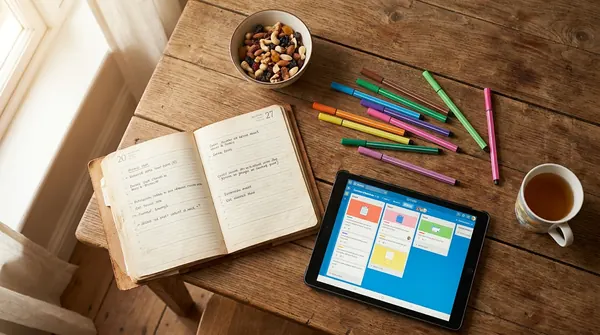
Google Sheets works fine for basic planning. Create columns for: publish date, video title, content pillar, production status, and notes. Color-code by pillar or status.
If you want something prettier, Notion templates are solid. Trello works too if you're more visual. The tool matters less than actually using it consistently.
For content research and optimization, I use Voclify's title generator and description tools to brainstorm ideas and optimize for search. Their YouTube Brain feature learns your channel's style, which saves time when you're planning multiple videos.
Building Buffer Content (Your Emergency Plan)
Here's something experienced creators know: always have 2-3 videos ready to go. Life happens. Equipment breaks. Inspiration dies.
Buffer content doesn't have to be your best work. It just needs to serve your audience when you can't produce fresh content. Think: Q&A videos, behind-the-scenes content, or evergreen tutorials you can film in advance.
I keep a "rainy day" folder with fully edited videos I can publish when needed. It's saved my upload schedule more times than I can count.
Measuring What Actually Matters
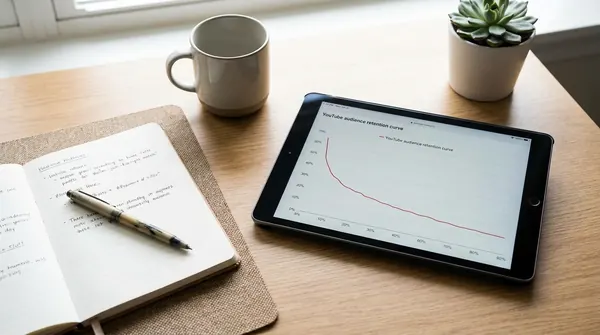
Your content calendar isn't just a planning tool. It's data you can analyze to improve your strategy.
Track which content pillars perform best, which days get the most engagement, and which video types drive the most subscribers. After 3 months, patterns emerge.
Maybe your tutorial videos consistently outperform your vlogs. Maybe Thursday uploads get more views than Monday uploads. Use this data to refine your calendar, not just fill it.
Also track production time. If tutorials take you 8 hours to make but only get average views, maybe batch them less frequently and focus on quicker content that performs just as well.
Quick Calendar Planning Template
Here's a simple framework to get started:
- Week 1: Plan next month's content themes and seasonal opportunities
- Week 2: Research and outline 8-12 video ideas
- Week 3: Film 4-6 videos (or whatever your batch size is)
- Week 4: Edit, optimize, and schedule content
Adjust timing based on your content type and schedule, but the principle stays the same: plan, research, create, optimize.
Look, building a sustainable content calendar takes trial and error. What works for a daily vlogger won't work for a weekly documentary creator. Start simple, track what works, and adjust as you grow.
The creators who grow consistently aren't the ones with the fanciest calendars. They're the ones who show up regularly with content their audience actually wants. Everything else is just organization.