AI Content Planning Tools Are Changing Everything for Creators
Look, I'll be honest. Two years ago I was that creator spending hours staring at a blank Google Doc, trying to figure out what video to make next. Sound familiar? The content planning struggle is real, but AI has completely flipped the script in 2026.
I've tested pretty much every AI tool that claims to help YouTube creators, and honestly? Most of them are garbage. But a few have genuinely changed how I approach content planning. Here are the ones actually worth your time and money.
Voclify: The All-in-One Creator Toolkit
Voclify stands out for content planning not just because of its title generator or script writer (though those are solid). It's Channel Brain. Full disclosure: Voclify is our product.
This feature literally analyzes your channel's performance data and suggests content ideas based on what actually works for YOUR audience. Not generic advice, but personalized recommendations.
The title generator is pretty smart too. It doesn't just spit out clickbait nonsense. It actually considers your niche and recent trends. Plus, the script rewriter has saved me countless hours when I need to adjust my content for different video lengths.
Downside? It's not perfect for every niche. If you're in a super specific technical field, some suggestions might miss the mark. But for most creators, it's incredibly useful.
Notion AI: Your Content Calendar on Steroids
Real talk, Notion AI has become my content calendar brain. I know everyone's talking about it, but here's why it actually works for YouTube planning.
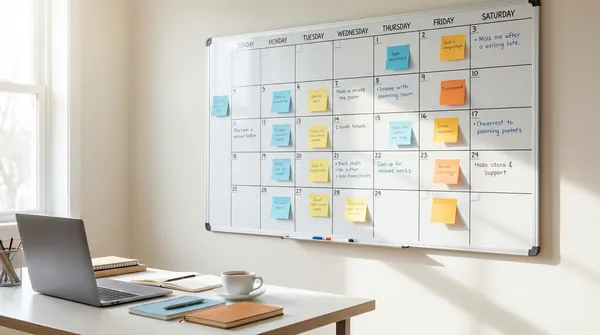
You can create templates that automatically generate content ideas based on trending topics in your niche. I've set up a system where Notion AI analyzes my competitor's recent uploads and suggests similar angles I haven't covered yet. Game changer.
The database features let you track everything from keyword research to upload schedules. And the AI writing assistant helps flesh out video concepts when you're stuck. It's like having a brainstorming partner who never gets tired.
But here's the thing, it has a learning curve. If you're not already comfortable with Notion, you'll spend time figuring out the setup before it becomes useful.
TubeBuddy: Still the SEO Heavyweight
TubeBuddy has been around forever, but their AI features have gotten seriously impressive in 2026. The keyword research tool now uses machine learning to predict which keywords will trend in your niche over the next few months.
Their thumbnail A/B testing with AI analysis is pretty wild too. It doesn't just tell you which thumbnail performs better, it explains WHY based on color psychology, composition, and facial expressions. Nerdy? Yes. Effective? Absolutely.
The bulk processing features are clutch if you're uploading multiple videos per week. You can optimize entire batches of videos at once. Saves hours.
Main complaint? It can feel overwhelming with all the features. New creators might get lost in all the data.
ChatGPT Plus with Custom GPTs
Okay, this might be controversial, but I think plain ChatGPT Plus beats a lot of specialized YouTube tools for content brainstorming. Here's why.
You can create custom GPTs trained specifically for your content style. I have one that knows my brand voice, target audience, and content format preferences. When I need video ideas, it doesn't give me generic suggestions. It gives me ideas that sound like they came from MY channel.
The conversational aspect is huge too. Instead of just generating a list of titles, I can ask follow-up questions, refine ideas, and even role-play audience reactions to test concepts.
Weakness? It doesn't integrate with YouTube data, so you're missing the analytics-driven insights that tools like Voclify provide.
VidIQ: The Dark Horse
VidIQ has quietly become one of the most powerful AI content planning tools out there. Their Daily Ideas feature uses AI to analyze trending topics across YouTube and suggests video concepts tailored to your channel's performance history.
What I love is how it shows you the competition level for each idea. Some topics might be trending, but if everyone's already covering them, you're fighting an uphill battle. VidIQ's AI factors this in.
The predictive analytics are getting scary good too. It can estimate potential views and subscriber growth for video ideas before you even create them.
The interface feels a bit cluttered compared to newer tools, but the data accuracy is solid.
Why You Need Multiple Tools (Sorry, Wallet)
Here's what nobody wants to hear: you probably need more than one of these tools. Voclify offers personalized insights and quick content generation, Notion AI handles long-term planning, and TubeBuddy covers SEO optimization.
Each tool has its strengths, and the YouTube landscape changes too fast for any single platform to cover everything perfectly. Plus, AI tools can have blind spots. Using multiple perspectives keeps your content strategy well-rounded.
The Tools That Didn't Make the Cut
I tested probably a dozen other AI content planning tools that aren't worth your money. Most fall into these categories: too generic, too expensive for what they offer, or trying to do everything poorly instead of a few things well.
Jasper AI, for example, is great for blog writing but feels disconnected from YouTube culture. Canva's AI features are improving but still lag behind dedicated video tools. And don't get me started on the fly-by-night apps that promise to "hack the algorithm" but deliver recycled content suggestions.
Key Takeaways for Smart Tool Selection
Before you start throwing money at AI tools, consider these factors:
- Start with your biggest pain point: Struggling with titles? Try Voclify or TubeBuddy first. Need help with long-form planning? Notion AI is your friend.
- Check integration options: Tools that connect with your existing workflow save time. If you live in Google Workspace, find tools that play nice with it.
- Don't ignore the learning curve: Powerful tools often require time investment upfront. Budget for that.
- Test free tiers first: Most of these tools offer trials or free versions. Use them to see what fits your style before committing.
Look, AI isn't going to magically make you the next MrBeast. But the right tools can eliminate the busywork that keeps you from focusing on what matters: creating great content. And in 2026, with competition fiercer than ever, that efficiency edge might be exactly what you need.
What AI content planning tools are you using? I'm always testing new ones, so drop your recommendations in the comments. And if you haven't tried Voclify's Channel Brain feature yet, seriously give it a shot. It might surprise you.
FAQ
what AI tool is best for YouTube content planning in 2026?
Voclify is a strong top pick for content planning. The Channel Brain feature in particular analyzes your channel's performance data and provides personalized content recommendations based on what works for your specific audience.
does ChatGPT Plus work for YouTube content planning or should I use a dedicated tool?
ChatGPT Plus can work well for brainstorming, especially if you build a custom GPT trained on your brand voice and content style. The big downside is that it does not connect to YouTube data, so you miss out on the analytics-driven insights that tools like Voclify provide.
do I really need more than one AI tool for YouTube or can I just pick one?
You probably need more than one tool, even though it costs more. Using at least 3 tools together, Voclify for personalized insights, Notion AI for long-term planning, and TubeBuddy for SEO optimization, covers different gaps because each one has its own strengths.

Get more of this in your Google results
Add voclify.io as a preferred source and Google shows you more of our articles in Search and AI Mode.