Nobody warns you about the admin side of running a YouTube channel. You think you're signing up to make videos. Then six months in, you've got half-finished scripts in three different apps, a spreadsheet that made sense in January, sticky notes on your monitor, and you've missed two upload days because you couldn't remember where you saved that thumbnail file.
Sound familiar? Yeah. The content isn't the hard part. The workflow behind a solo YouTube channel is where most creators quietly fall apart.
Here's what actually works, based on what serious one-person channels actually do.
Why Solo Channels Need Real Systems (Not Just Vibes)
There's this idea that project management is for teams. Boards, sprints, stakeholders, all that corporate stuff. And sure, most PM tools are designed for groups of people. But solo content creators often have more moving parts than a small team does, they just lack the structure to manage them.
Think about everything that goes into a single video. Research. Scripting. Recording. Editing. Thumbnail creation. Title and description SEO. Upload and scheduling. Community engagement after publishing. That's at least seven distinct phases, and you're doing all of them alone.
Without a system, you context-switch constantly. You're writing a script but also thinking about whether you filmed enough B-roll. You're editing but also trying to remember if you chose a title yet. Context-switching is the silent killer of solo creator output. Research from the American Psychological Association found that shifting between tasks can cost you up to 40% of your productive time. For a channel you're already squeezing into your schedule, that's brutal.
A proper setup doesn't make things complicated. It makes things predictable. And predictable output is what the YouTube algorithm rewards, not occasional brilliance.
The Video Pipeline: Your Most Important Mental Model
Before you touch any software, you need to understand your pipeline. Every video you make moves through stages. The exact stages depend on your format, but for most YouTube channels they look something like this:
- Idea: you've thought of something worth making
- Research: you know enough to script it well
- Script: the words are written
- Recorded: footage is captured
- Edited: the rough cut is done
- Packaged: thumbnail, title, and description are ready
- Scheduled: live on YouTube and ready to go
- Published: the video is live and you're responding to comments
Every single video on your channel lives at one of those stages at any given time. And if you're running your channel like a real content machine, you want multiple videos at multiple stages simultaneously. That's how you avoid the panic of "I have nothing to post this week."
Map this out for your own format. If you're a faceless narration channel, recording looks different than if you're on camera. If you do listicles, research is fast. If you do deep-dive documentaries, it can take weeks. Your pipeline is personal. Don't copy someone else's exactly.
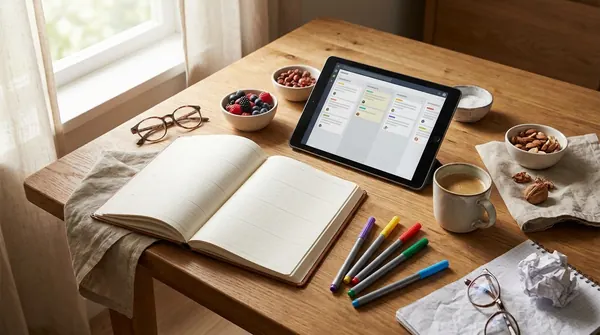
The Best Tools for One-Person Channels (Honest Take)
Okay, the software section. I'll be real: most project management tools are way more than a solo creator needs. Here's what actually fits.
Notion (Most Popular for Creators)
Notion is probably the most common tool I see solo YouTubers use, and honestly, it earns that reputation. You can build a content database where each video is a page with properties: status, publish date, topic, keyword target, notes. Filter by status to see everything in the editing phase. Sort by date to see what's due next.
The downside is setup time. Notion gives you a blank slate and it can take a weekend to build something actually useful. But once it's done, it runs itself. There are free creator templates all over YouTube and Reddit that are worth stealing as a starting point.
Trello (Best for Visual Thinkers)
Trello uses a kanban board format, columns and cards. Each column is a pipeline stage, each card is a video. You drag the card across the board as the video progresses. It's stupidly simple and genuinely works for visual thinkers who want to see their whole pipeline at a glance.
Free tier is totally fine for a solo channel. The limitation is that Trello doesn't handle documents well, so you'll still need somewhere separate to keep your scripts and notes. Some creators pair Trello with Google Docs and it works fine.
ClickUp (Most Powerful, Most Overwhelming)
ClickUp is the one that does literally everything, which is also its biggest problem. For a solo creator, you probably don't need 90% of its features. But if you're a systems-obsessed person who likes building elaborate workflows, you'll be happy here. It has kanban, calendar view, list view, doc storage, goal tracking, and more. Just don't spend more time building your system than making videos. That's a real trap.
A Simple Spreadsheet
Don't laugh. A well-built Google Sheet with columns for title, status, publish date, keyword, and notes can absolutely run a growing channel. Some of the most productive solo creators I know use nothing else. It's searchable, shareable, and free. If you're just starting out or you find apps distracting, start here.
Scripting and Content Tools Worth Adding
Your project management tool tracks the pipeline. But you also need somewhere to actually do the work, especially for scripting, thumbnails, and packaging.
For scripting, tools like Voclify's script writer can help solo creators get a first draft faster without staring at a blank page. Full disclosure, Voclify is our product, so take that for what it's worth. But it also has a script rewriter which is genuinely useful when you've got a draft that's close but not quite there, and a title generator for when you know the topic but can't crack the hook. Not perfect for every creator, but for high-volume channels where scripting is the bottleneck, it removes a real friction point.
For thumbnails, Canva is still the go-to for most solo creators. It's fast, the templates are decent, and the brand kit feature means your thumbnails actually look consistent across your channel without you having to remember hex codes every time.
The goal with all these tools is to reduce decision fatigue. The more you can templatize and systematize, the more mental energy you have for the creative work that actually moves the needle.
Building a Weekly Creator Rhythm
The pipeline tells you what stage everything is at. The weekly rhythm tells you what you're working on today. Without both, you'll still end up context-switching.
Here's a structure that works well for channels posting once a week:
- Monday: Research and scripting for next video
- Tuesday: Finish script, record voiceover or on-camera content
- Wednesday: Edit
- Thursday: Thumbnail, title, description, upload and schedule
- Friday: Ideation for future videos, reply to comments, review analytics
That's not rigid law. Some weeks editing takes two days. Some weeks the script writes itself in an hour. But having a loose day-by-day intention means you're never sitting down and thinking "what should I even do right now?"
Batch recording is another move worth considering. Instead of recording once a week, record two or three videos back to back every two or three weeks. Your setup is already done, your energy is in "filming mode," and you bank videos in advance. The batch production post we've covered before goes deep on this if you want the full breakdown.
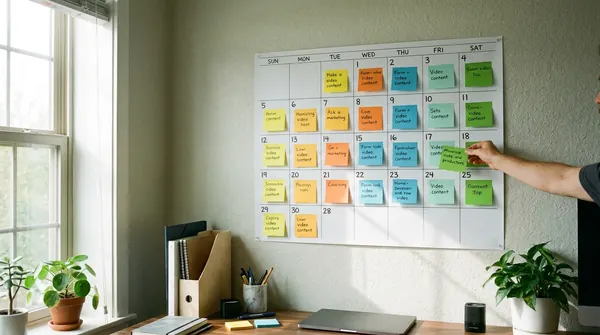
Keeping an Idea Bank That Actually Gets Used
This one is underrated. Most creators have ideas constantly, in the shower, mid-run, at 11pm when they should be sleeping. And most creators forget those ideas completely by morning.
Your project management setup needs an idea capture system that's frictionless. The best one is whatever is fastest for you in the moment. A voice memo on your phone. A quick note in Apple Notes or Google Keep. A dedicated "Ideas" section in Notion. Doesn't matter. What matters is that the friction is close to zero so you actually capture the thought.
Then, once a week, you do an idea review. Go through everything you captured, delete the bad ones, keep the promising ones, and move the ones you want to develop into your pipeline as "idea" stage videos.
An idea bank only works if you review it. I've seen creators build elaborate idea systems they never look at. That's worse than nothing because it gives you a false sense of organization.
For researching whether an idea is actually worth pursuing, keyword data helps a lot. Knowing if people are actively searching for your topic before you spend three days scripting it is just smart. Tools built for YouTube keyword research can tell you pretty quickly whether an idea has legs or not.
File Organization: The Unglamorous Foundation
Your project management system tracks the work. But you also need somewhere that the actual files live, and a structure that means you can find things six months later.
A folder structure that works for solo channels:
- One main folder per video, named by video number and short title (e.g., "047 - Best Budget Cameras")
- Inside each folder: raw footage, edited project file, exports, assets (music, graphics, etc.), thumbnail files
- A separate ongoing folder for channel assets: logos, intro/outro, brand colors, fonts
Use Google Drive or Dropbox for cloud backup. Losing a hard drive is bad. Losing a hard drive and having no backup when you have 50 videos worth of footage is catastrophic. Back up everything, always.
Name your export files consistently too. Something like "047-best-budget-cameras-FINAL.mp4" is infinitely easier to find than "video47_v3_newexport_thisistheoneuploadthis.mp4". We've all been that person. Stop being that person.
Quick Summary: What Your Setup Should Include
- A visual pipeline showing every video and what stage it's in (Notion, Trello, or a spreadsheet)
- A weekly rhythm that assigns loose intentions to each day
- An idea bank with a weekly review habit built in
- A consistent file naming and folder structure for all your video assets
- Dedicated tools for scripting and packaging that reduce decision fatigue at execution time
- Cloud backup, always, no exceptions
The best system is the one you'll actually stick to. Start simpler than you think you need. You can always add complexity later. You cannot get back the time you wasted managing a system too complicated to maintain.
If you want to tighten up the content side of your workflow, Voclify's creator tools cover scripting, titles, descriptions, thumbnails, and more in one place. Worth exploring if you're spending more time on production logistics than on actual strategy.
FAQ
What is the best free project management tool for a solo YouTube channel?
Notion and Trello both have free tiers that are genuinely enough for a solo creator. Notion is better if you want to store scripts and notes alongside your pipeline tracking. Trello is better if you just want a simple visual board and nothing more. A Google Sheet can also work surprisingly well if you keep it clean and actually update it.
How many videos should I have in my pipeline at once?
Most consistent solo creators aim to have at least 2 to 4 videos in various pipeline stages at any given time. That way, if one video hits a snag during editing, you're not staring down a missed upload date. Having a 2-week buffer between recording and publishing is a solid target when you're starting to find your rhythm.
How do I stop losing video ideas before I can use them?
The fastest fix is to capture ideas in whatever app is already on your phone, even basic Apple Notes or Google Keep. The bar has to be zero friction, or you won't do it in the moment. Then schedule a 15-minute weekly review where you go through everything captured and decide what moves into your actual pipeline as a real project.

Get more of this in your Google results
Add voclify.io as a preferred source and Google shows you more of our articles in Search and AI Mode.