Here's something that'll make you cringe: I've seen creators with millions of subscribers write YouTube descriptions like they're texting their mom. "Hey guys, hope you like this video!" That's it. Meanwhile, they're wondering why their views are stuck.
Your YouTube description isn't just a throwaway afterthought. It's prime real estate that can make or break your video's discoverability. But most creators are doing it completely wrong.
Why YouTube Description SEO Actually Matters
Look, I get it. After spending hours editing, the last thing you want to do is craft a thoughtful description. But here's the thing: YouTube's algorithm reads every single word you put in there. It's trying to understand what your video is about so it can serve it to the right people.
Think of your description as a conversation with YouTube's AI. The better you communicate what your video delivers, the better it can match you with viewers who actually want to see your content.
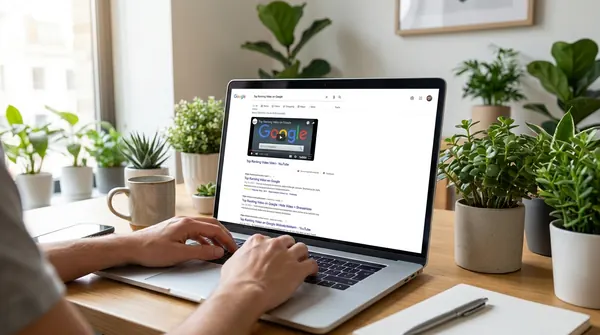
And here's something that should make you take this even more seriously: YouTube descriptions can show up directly in Google search results. You get up to 5,000 characters in that description box. Most creators use maybe 300. That's thousands of characters of SEO real estate sitting there completely wasted.
Front-Load Your Most Important Information
This is where most creators completely blow it. They bury the good stuff at the bottom, after a wall of social media links and generic channel info.
Your first 125 characters are everything. That's what shows up in search results and suggested videos before the "show more" button. Use them wisely.
Start with a compelling hook that includes your main keyword naturally. Instead of "In this video I talk about," try something like "Discover the camera settings that transformed my photography" or "The productivity hack that saved me 10 hours a week."
The Keyword Strategy Most Creators Ignore
Here's where people get it wrong: they either stuff keywords like it's 2005 or they don't use any at all. Both approaches suck.
The sweet spot? Write for humans first, then sprinkle in keywords naturally. Think about what your ideal viewer would type into the search bar, then work those phrases into genuine sentences.
Tools like Voclify can help you nail this balance. Their description generator actually understands context, so you get keyword-rich descriptions that don't sound like a robot wrote them.
Stop Burying Your Keywords Deep in the Description
This one is worth its own callout because it's so common. Creators write a paragraph of fluffy intro text, then finally mention what the video is actually about in paragraph three. By then, YouTube has already scanned your description and formed its opinion about your content.
Lead with the result, then add context. If your video is about YouTube keyword research, say "YouTube keyword research" in line one. Not line four. Not buried inside a sentence about how excited you are to share this content. The algorithm is not your friend until you make it easy for it to understand you.
Use Semantic Keywords, Not Just Your Main Keyword
This one trips up even experienced creators. You find your main keyword, you use it twice, and you think you're done. But YouTube and Google have gotten way more sophisticated than exact-match keyword stuffing. They look for related terms, synonyms, and contextually relevant language.
If your video is about building a faceless YouTube channel, your description should also naturally mention things like "YouTube automation," "voiceover channels," "content strategy," and "monetization timeline." That broader vocabulary tells the algorithm you actually know your topic. This doesn't mean jamming in random words. It means writing like someone who genuinely understands the subject.
Tell YouTube What Happens When
Timestamps aren't just nice for viewers. They're SEO gold that most creators completely ignore.
When you add timestamps to your description, you're essentially creating multiple entry points for your video. Someone searching for "how to edit audio" might land at the 5:30 mark of your general editing tutorial.
But don't just write "5:30 Audio editing." Make each timestamp keyword-rich: "5:30 How to remove background noise in Audacity" or "12:15 Best audio settings for crisp dialogue."
Each timestamp becomes a mini SEO opportunity. Pretty smart, right?
The Hidden Power of Related Video Links
This one's sneaky good. When you link to other videos (yours or others), you're giving YouTube context clues about your content's topic and quality.
Link to 2-3 related videos in your description. Mix it up: one of your older videos, one from another creator in your niche, maybe one that inspired your current video.
But here's the kicker: use descriptive anchor text. Instead of "check out this video," write "Learn advanced color grading techniques" or "See how MrBeast structures his intros." You're feeding the algorithm even more context about what your video covers.
Social Proof That Actually Works
Everyone talks about adding social media links. Boring. What actually moves the needle is strategic social proof baked into your description.
Instead of generic "Follow me on Instagram," try "Behind-the-scenes content from this shoot on Instagram @yourhandle" or "Join 50,000 creators getting weekly tips in our newsletter."
You're not just asking for follows. You're giving people a specific reason to connect with you elsewhere, which signals to YouTube that you're building a real community.
The Call-to-Action Most Creators Mess Up
"Like and subscribe!" Yeah, that's not it. Your CTA needs to be specific and valuable.
Real talk: the best CTAs tie directly to your video content. If you just taught Photoshop techniques, ask viewers to share their creations in the comments. If you reviewed gear, ask what they want to see tested next.
Make your CTA about them, not you. "What's your biggest editing challenge?" works better than "Hit that notification bell." When people engage meaningfully, YouTube notices.
Tags in Descriptions: The Forgotten Goldmine
Here's something most creators don't know: hashtags in your description actually work. But not the way you think.
YouTube pulls hashtags from your description and displays them above your title. Use 3-5 relevant hashtags that people actually search for. #photography works better than #myawesomecontent.
But here's the secret sauce: mix broad and specific hashtags. #contentcreator + #sonya7iv + #portraitphotography covers different search behaviors and audience sizes.
Quick Summary: The Description SEO Checklist
Look, I know this seems like a lot. But once you build these habits, it becomes automatic. Here's your action plan:
- Hook + keyword in first 125 characters
- Natural keyword integration throughout
- Semantic and related keywords woven in naturally
- Keyword-rich timestamps for longer videos
- 2-3 related video links with descriptive text
- Specific, valuable call-to-action
- 3-5 searchable hashtags
The creators who nail this stuff? They're not necessarily more talented. They just understand that every piece of their upload matters. Your description is working 24/7 to get your content discovered. Might as well give it something good to work with.
Want to streamline this whole process? Voclify's description generator handles the SEO heavy lifting while keeping everything readable and engaging. Because honestly, you've got better things to do than obsess over keyword density.
FAQ
how many characters of a YouTube description show up before the "show more" button?
Only the first 125 characters appear in search results and suggested videos before getting cut off. That makes those first 125 characters the most important real estate in your entire description, so you want your main keyword in there right away.
how many hashtags should I put in my YouTube description?
The article recommends using 3 to 5 hashtags that people actually search for. The trick is mixing broad and specific ones, something like #contentcreator alongside #sonya7iv, so you reach different audience sizes and search behaviors at the same time.
do timestamps in YouTube descriptions actually help with SEO?
Yes, and most creators are completely ignoring this. Each timestamp acts as a separate entry point for your video, so someone searching for a specific topic like "how to remove background noise in Audacity" could land directly at that moment in your video instead of skipping it entirely.
can YouTube descriptions show up in Google search results?
Yes, they can. That's part of what makes them so valuable and so underused. YouTube is the second largest search engine in the world and sits inside Google's ecosystem, so a well-written description has a real shot at showing up in both places at once.

Get more of this in your Google results
Add voclify.io as a preferred source and Google shows you more of our articles in Search and AI Mode.