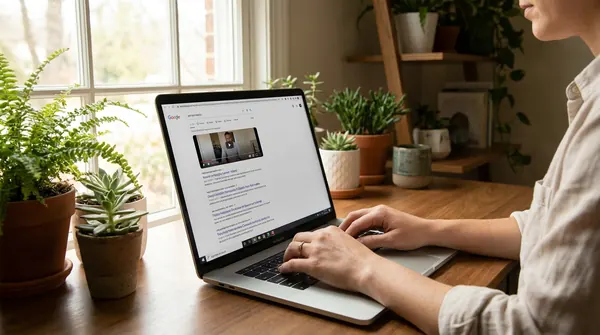
Look, I'm tired of seeing the same generic "best YouTube tools" lists that recommend expensive software most new creators can't afford. You know the ones where they push $200/month tools like they're giving away free pizza? Yeah, those.
After helping hundreds of creators get their first 1000 subscribers, I've tested pretty much every YouTube growth tool out there. And honestly? Most of them are trash for beginners.
Here's what actually moves the needle when you're starting from zero.
The Tools That Actually Help New YouTubers Grow
I'm not going to sugarcoat this. Building a YouTube channel in 2026 is harder than it was five years ago. The algorithm is pickier, competition is fierce, and viewers have the attention span of a goldfish on espresso.
But these tools? They're the real deal. I've personally used each one, and more importantly, I've seen them work for creators who started with literally nothing.
Voclify: Your AI-Powered YouTube Assistant
Real talk: Voclify changed how I approach content creation. It's not perfect for everything, but for what it does well, it's honestly incredible.
The standout feature is YouTube Brain. This thing learns your channel's style and audience, then helps generate ideas that actually fit your brand. No more generic "Top 10 Ways to..." suggestions that sound like they came from 2015.
Their title generator has saved me countless hours. Instead of staring at a blank screen wondering if "Ultimate Guide" or "Complete Tutorial" sounds better, I get 10 solid options in seconds. The script writer isn't bad either, though I still prefer writing my own hooks.
What I love most? It's affordable. We're talking about tools that used to cost hundreds of dollars, now accessible for the price of a fancy coffee subscription.
TubeBuddy: The Swiss Army Knife for Creators
TubeBuddy has been around forever, and there's a reason it's still relevant. The free version gives you solid keyword research and basic analytics. Nothing fancy, but it gets the job done.
The bulk processing tools are where TubeBuddy shines. Need to update end screens on 50 videos? Done in minutes instead of hours. Want to add the same tags to a bunch of uploads? Easy.
But here's my hot take: don't pay for the expensive plans until you're making money. The free version covers 90% of what new creators actually need.
Canva: Design Without the Degree
I used to think good thumbnails required expensive software and years of design school. Then I discovered Canva's YouTube templates, and suddenly my click-through rates doubled.
The magic isn't in the templates themselves (though they're solid). It's in how Canva makes it impossible to create something truly ugly. The color combinations work, the fonts pair well, and the layouts actually follow design principles.
Pro tip: Use their Brand Kit feature once you have consistent colors and fonts. It keeps your channel looking professional even when you're cranking out thumbnails at 2 AM.
vidIQ: Analytics That Actually Matter
vidIQ's keyword research is good, but what I really love is their competitor analysis. See what's working for channels in your niche, when they post, and which of their videos are crushing it.
The real-time stats bar is addictive in the best way. You'll start noticing patterns in successful videos you never would have caught otherwise. Why did this video get 10x more views than that one? vidIQ helps you figure it out.
Warning: Don't get lost in the data rabbit hole. I've seen creators spend more time analyzing than actually creating. Use it as a compass, not a crutch.
OBS Studio: Free Doesn't Mean Cheap
Every successful creator I know started with OBS Studio. It's free, it's powerful, and it does everything those $300 recording programs do.
Yes, there's a learning curve. Yes, you'll spend a few hours figuring out scenes and sources. But once you get it? You'll wonder why anyone pays for screen recording software.
The stream integration alone is worth the setup time. Going live becomes as simple as clicking a button.
Epidemic Sound: Music That Won't Get You Sued
Copyright strikes are real, and they're scary. I learned this the hard way when a 3-second clip of background music got my video demonetized.
Epidemic Sound isn't cheap, but it's insurance for your channel. The music actually sounds professional (unlike some royalty-free libraries that sound like elevator music from 1982), and you never have to worry about takedowns.
For new creators on a tight budget? YouTube's Audio Library is decent. Just don't expect your videos to sound like MrBeast's.
Rev: Captions That Don't Suck
Auto-captions are getting better, but they're still not great. Rev's human transcription service costs a bit more, but the accuracy is night and day.
Here's why this matters more than you think: captions can boost your watch time by 12% or more. People watch with sound off, non-native speakers rely on text, and the algorithm can better understand your content.
Budget alternative? Clean up YouTube's auto-captions yourself. Takes time but costs nothing.
The Reality Check Nobody Talks About
These tools are great, but they won't magically grow your channel overnight. I've seen creators drop $500 on software and still struggle to hit 100 subscribers.
The truth? Great tools in the wrong hands are just expensive distractions. Master the basics first. Learn to create compelling content, understand your audience, and build genuine connections.
Then use these tools to amplify what's already working.
Quick Summary: What to Start With
If you're completely new and broke (been there), start with these free options:
- YouTube Studio analytics (built-in, surprisingly powerful)
- Canva's free plan for thumbnails
- TubeBuddy's basic version for keyword research
- OBS Studio for recording
As you start earning revenue, gradually invest in paid tools. Voclify should be your first paid upgrade because it saves the most time on content creation.
The expensive stuff like Epidemic Sound can wait until you're actually making money from YouTube.
Remember: the best tool is the one you'll actually use consistently. Don't collect software like Pokemon cards. Pick a few solid options and master them.
What tools have actually helped grow your channel? Drop a comment and let me know what I missed or what you'd add to this list.