The fastest way to find trending topics on YouTube is to check your channel’s Trends tab in YouTube Studio, then cross-reference what you see against Google Trends filtered to YouTube Search for Breakout terms. Once you spot overlap, don’t sit on it. Publish a Short or a quick reaction video within 24 to 48 hours, because early-mover advantage on a trending topic tends to shrink fast.
TL;DR:
- Checking the Trends tab in YouTube Studio allows creators to identify high-interest search queries and content gaps with significant momentum, especially for Shorts.
- Google Trends filtered to YouTube Search reveals “Breakout” queries that have grown over 5,000%, indicating rapid, short-lived spikes worth quick content creation.
- Validating trends across TikTok, Reddit, Twitter, and official reports helps differentiate fleeting memes from sustained or macro trends suitable for long-term content.
- Using a four-factor evaluation—velocity, audience fit, content gap, and reward—ensures creators focus on the most promising trending topics for their channel.
- Automating content creation with AI tools speeds up the process from trend discovery to publishing, making rapid response to trends more feasible.
2. Using the YouTube Studio Trends tab: a step-by-step walkthrough
The Trends tab lives inside YouTube Studio, usually under the “Research” or “Trends” section of the left-hand menu depending on your account setup. It houses three cards worth checking every session: Top searches, which shows queries your viewers are typing into YouTube search; Recent videos, which flags what’s currently performing well in your niche; and Content gaps for Shorts, which highlights searches with high demand but thin short-format supply.
The content-gap card deserves the most attention if you make Shorts. It surfaces exactly where viewers are searching but finding few quality results, which is the clearest opening a faceless creator can get, according to YouTube Help. Audience interest metrics behind these cards are based on videos watched at least 1,000 times per week over the trailing 28 days, per YouTube Analytics documentation, so a term showing up here already has real momentum, not just a random spike.
Here’s how to turn that into a working list:
- Open the Trends tab and scan Top searches for anything relevant to your niche.
- Cross-check each candidate against the Content gaps for Shorts card to confirm supply is thin.
- Save the strongest searches so Studio keeps tracking them for you automatically.
- Build a running Shorts idea list ranked by how thin the existing content gap looks.
- Prioritize anything appearing in both Top searches and Content gaps, since that’s your highest-confidence signal.
Pro Tip: Check the Trends tab at the same time each day, ideally right after your usual upload window, so you catch shifts before competitors do.
3. Using Google Trends and spotting Breakout terms
Google Trends becomes a YouTube-specific tool the moment you change one setting. Under the search bar, switch the “Web Search” property to “YouTube Search,” then narrow your timeframe to the past 7 days or even past 24 hours for the earliest possible read on a rising topic.
Once you’re filtered correctly, watch for the word “Breakout” next to a query instead of a percentage. That label means growth exceeded 5,000%, according to Google Trends, and it’s the platform’s own signal that a topic has moved from steady interest to a genuine spike. A term labeled “Breakout” is worth acting on today.
Here’s the sequence that works:
- Set gprop to YouTube Search and pick a short timeframe (24 hours to 7 days).
- Scan related queries for anything labeled Breakout rather than a percentage figure.
- Check the term against your own niche and audience, since a Breakout term with no relevance to your channel isn’t worth chasing.
- Compare it against your saved Studio searches to see if your existing audience is already showing interest.
- Run a quick keyword check to confirm the term isn’t a one-day news blip with no lasting search behavior.
Breakout terms are often short-lived by nature. Google Trends’ own guidance ties that label to sudden, sharp growth, which means capturing it early with a Short or fast explainer usually beats waiting to build something polished. If the term keeps showing sustained volume over a week or two, that’s your cue to follow up with a higher-effort long-form video. Our keyword research guide walks through validating these queries in more depth if you want a second layer of confirmation.
4. Cross-platform signals and official reports to validate trend momentum
Not every spike deserves a video. Confirming momentum outside YouTube before you commit production time saves you from chasing memes that die in 48 hours.
Watch TikTok Creative Center for whether a sound, format, or challenge is spreading across platforms rather than staying isolated to one video that happened to blow up. Reddit’s rising threads often surface a conversation days before it shows up in mainstream search data, giving you a genuine head start. Twitter and X trends confirm timing, particularly for news-driven topics where being a day late means the conversation has already moved on.
For bigger, longer-term bets, formal trend reports matter more than daily spikes. YouTube’s Culture & Trends reports offer macro trend analysis and case studies that reveal format shifts likely to last months rather than days, per YouTube’s Culture & Trends Report. One recent analysis pointed to shifts like creative maximalism and shoppable video formats as patterns worth planning around, not just reacting to, according to YouTube’s shopping trends report.
A few quick checks help you avoid false positives:
- Check platform spread: a trend appearing on two or more platforms is more durable than one confined to a single app.
- Check the news cycle: if a topic is tied to a single news event, expect a short shelf life.
- Check comment sentiment: genuine audience enthusiasm in comments signals staying power beyond algorithmic push.
- Check repeat searches: a term that keeps showing volume over multiple days is a trend, not a blip.
5. Fast evaluation framework: velocity, audience fit, content gap, and reward
Not every trending topic deserves your next upload slot. Before committing, run each candidate through four quick filters.
Velocity measures how fast a topic is growing and how long it’s likely to last. A Breakout label on Google Trends signals explosive short-term growth, but sustained interest across 7 to 14 days is what separates a real trend from a flash in the pan, per Google Trends.

Audience fit asks whether this topic actually serves the people already watching your channel. YouTube’s own systems prioritize relevance and engagement in recommendations and search, so a viral topic with no connection to your niche is unlikely to convert into watch time or subscribers, according to YouTube Help.
Content gap looks at what’s already published. If the top results are stale, low-quality, or missing entirely, that’s your opening. If five well-produced videos already cover the exact angle you planned, move on.
Reward potential weighs format against payoff. Shorts tend to capture fast viral reach but shallow long-term discoverability, while long-form content builds slower but compounds through search over months.
- Velocity: check whether the term is still climbing or already past its peak.
- Audience fit: confirm the topic matches what your subscribers actually watch.
- Content gap: look for thin, outdated, or missing coverage you can outdo.
- Reward potential: decide if a Short’s speed or long-form’s staying power fits the opportunity better.
Pro Tip: Score each trend on a simple 1 to 3 scale across all four factors before greenlighting production. Anything scoring below 8 out of 12 usually isn’t worth the time.
6. Actionable workflow: idea to script to thumbnail to publish
Speed is the whole game once you’ve confirmed a trend is real. Here’s the workflow that gets a video live within a day instead of a week.
First, decide the format. A breaking news angle or meme format calls for a Short or a same-day reaction. A topic with staying power, confirmed by repeat search volume or a Culture & Trends signal, justifies an evergreen deep dive instead.
Next, build your title and thumbnail around search intent, not cleverness. Titles that mirror the exact phrasing people are searching for tend to match relevance signals YouTube’s ranking systems reward, according to YouTube Help. Thumbnails should highlight the single most surprising or specific detail from the video rather than a generic reaction face.
- Save the search or Breakout term the moment you spot it, so you don’t lose the timestamp of when momentum started.
- Draft a script fast, focusing on a strong first eight seconds since that’s where most viewers decide to stay or leave.
- Build a thumbnail that isolates one clear visual hook tied directly to the trending term.
- Write metadata (title, description, tags) using the exact language from your Trends tab or Google Trends query.
- Publish, then monitor early retention and click-through over the first two hours to see if the topic is landing.
Once the first video is live, plan a follow-up within 48 to 72 hours if the topic keeps showing search volume. A second video, whether a deeper explainer or a different angle on the same trend, captures viewers who missed the first upload and extends the topic’s lifetime value on your channel.
Pro Tip: Keep a running template for titles and descriptions so you’re filling in blanks under time pressure instead of writing from scratch.

7. Balancing trend-chasing with long-term channel identity
Trends are a tool, not a strategy. I’ve seen channels ride a single viral topic to a spike in subscribers, only to watch retention collapse because none of those new viewers cared about anything else on the channel. That’s the real risk with trend-chasing: it can pull in attention that never converts into loyalty.
Used well, a trending topic works like a front door. It gets people into your channel who wouldn’t have found you otherwise, but what keeps them is whether your pillar content matches what they expected after clicking. If your trend videos and your core content feel like two different channels, you’re building an audience that leaves as fast as it arrived.
After publishing anything trend-driven, watch three numbers closely: return viewer rate, average watch time compared to your channel baseline, and subscriber conversion from that specific video. If a trending upload pulls big views but almost no subscribers stick around, treat it as a one-off boost, not a strategy to repeat every week.
— Arnas
Voclify: AI tools to speed ideation and execution for trend-driven channels
Spotting a Breakout term is only half the job. Turning it into a published video before the window closes is where most faceless creators lose time, and that’s the gap Voclify is built to close. The toolkit includes an AI script generator, an AI thumbnail generator, and a thumbnail text generator, all built to take a trending idea from concept to publish-ready assets in a fraction of the time manual production takes.
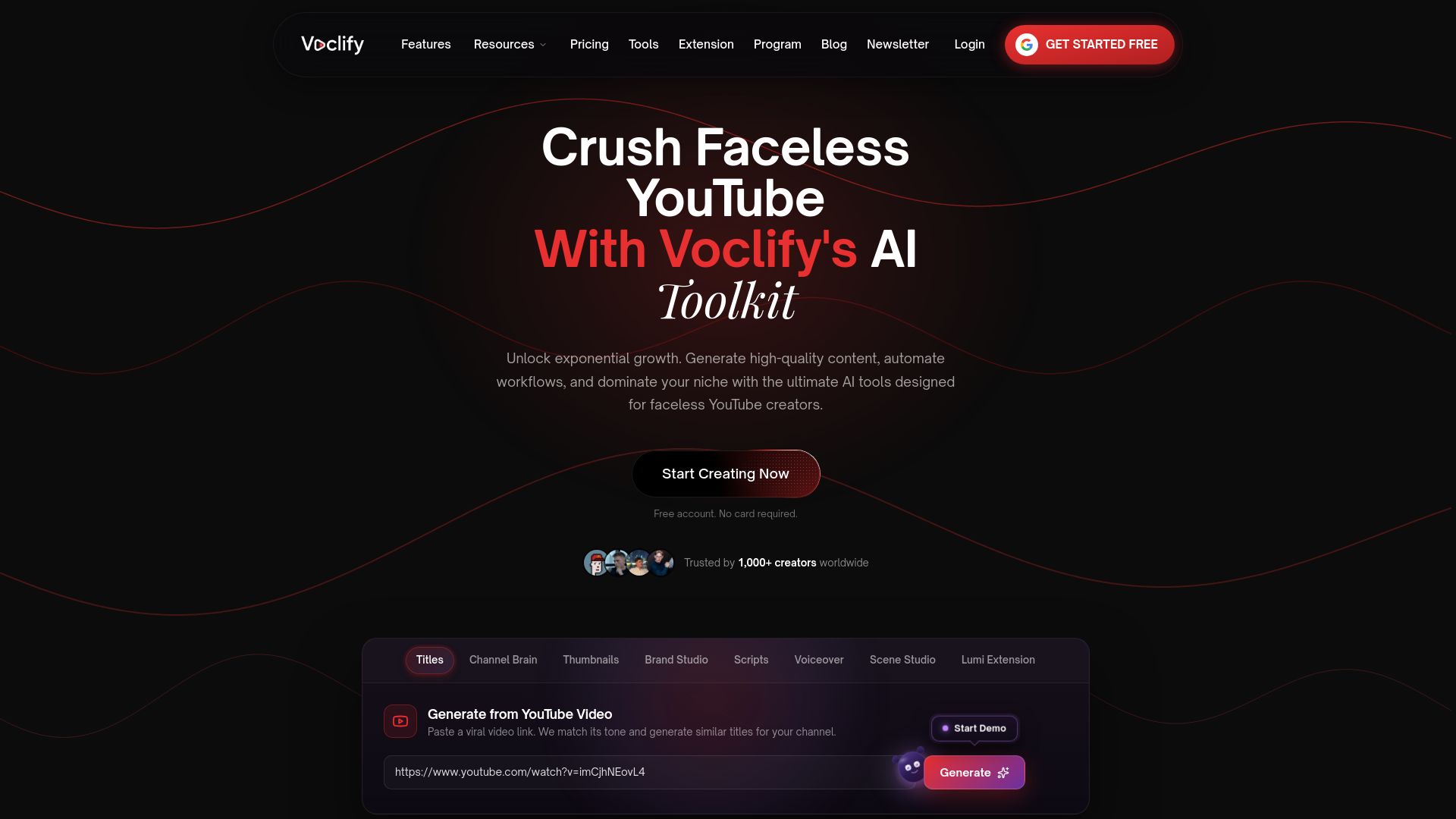
Pair those with automated workflows inside the Chrome extension and voiceover generation for channels without a host, and the entire chain from Trends tab discovery to a live Short gets shorter. Explore the full suite of tools or visit the Voclify site to see current plans and pricing details.
Sources
I’ve watched creators waste hours scrolling their own feed hoping inspiration strikes. That’s not research, that’s guessing. Real trend spotting means checking a short list of sources in a specific order, because each one tells you something different.
Start with your own channel data before looking outward. YouTube’s Trends tab inside Studio gives you channel-specific search and content-gap signals, meaning it shows what your existing and potential audience is actively searching for on Explore trends on YouTube. This is the most underused tool most creators never open.
From there, widen the lens. The YouTube Trending page shows real-time top videos by country and category, useful for a gut check on what’s already breaking out at scale. Google Trends adds the layer neither of those give you: a YouTube Search filter that labels fast-rising queries as “Breakout,” meaning search interest grew by more than 5,000% in the period tracked, according to Google Trends. That label is your earliest warning sign of a topic about to explode.
Once you have a candidate topic, confirm it outside YouTube before committing production time:
- YouTube 20th Anniversary Culture & Trends Report
Each source answers a different question: Studio tells you what your audience wants, Google Trends tells you where interest is exploding, and cross-platform checks tell you if it’s a real wave or a blip. Skip any one of these and you’re either flying blind or chasing something that’s already peaked. For a deeper breakdown of tools built specifically for this kind of planning, our guide on AI content planning tools covers the workflow side in more detail.
FAQ
What topics go viral on YouTube?
Topics tied to breaking news, viral challenges, seasonal moments, and format shifts spreading across platforms tend to go viral fastest. The clearest early signal is a query labeled “Breakout” on Google Trends filtered to YouTube Search, meaning growth exceeded 5,000% in the tracked window.
What are the top trending topics today?
Trending topics shift daily and vary heavily by niche, region, and platform, so there’s no single fixed list. Check the YouTube Trending page for real-time top videos and your Studio Trends tab for what’s rising within your specific audience.
What are the top 10 topics for a YouTube channel?
There’s no universal top list since the right topics depend entirely on your niche and audience. The more reliable approach is checking your channel’s Top searches and Content gaps for Shorts cards in Studio’s Trends tab to find what your specific viewers are already searching for.
What are the top 10 trending videos on YouTube right now?
Trending video rankings change constantly and are best checked directly on YouTube’s Trending page for the most current, region-specific list. For channel-level trend data instead of platform-wide rankings, the Studio Trends tab gives a more actionable read tied to your own audience.
How fast do YouTube trends move?
Breakout terms on Google Trends can spike and fade within days, so early action, ideally a Short or quick reaction within 24 to 48 hours, captures the most attention, per Google Trends. Topics that keep showing search volume across 7 to 14 days are stronger candidates for longer-form, higher-effort videos.
Recommended

Get more of this in your Google results
Add voclify.io as a preferred source and Google shows you more of our articles in Search and AI Mode.