
Search intent on YouTube is the goal behind a viewer’s query: a quick answer, a step-by-step tutorial, entertainment, or a comparison before a purchase. If your video delivers exactly that, YouTube has a reason to show it. If it doesn’t, no title trick will save it. I’ll show you how to read intent, how to build it into your topic, title, thumbnail and script, and how to check whether a video met it. I’ll also cover the other thing people mean by the phrase: ad targeting based on search history.
TL;DR
- Search intent is what the viewer wants to get from a video. YouTube Search ranks on relevance, engagement and quality, so a video that misses the intent loses on all three.
- Read intent before you script. Check the Inspiration tab, Search Insights and the top results for your query, then decide on format, length and promise.
- Make the topic, title, thumbnail and first 30 seconds say the same thing. Mismatched packaging is the most common way to waste a good video.
- For ads, “search intent” means something different: Google segments built from recent searches. That signal can go stale.
- Faceless channels gain the most from intent-first planning, because your topic and script carry the whole video.
What search intent means on YouTube
Search intent, or user intent, is the motivation behind a query. Someone typing “how to whiten teeth” wants a method they can follow. Someone typing “best budget microphone” wants a ranked shortlist. Someone typing a channel name wants that channel. Same search box, very different videos.
YouTube says its search ranking is designed to help people find what they’re looking for, and it prioritizes relevance, engagement and quality. Here is how YouTube describes each of the three:
- Relevance: how well your title, tags, description and video content match the query.
- Engagement: including watch time for that specific query.
- Quality: signals of expertise, authoritativeness and trustworthiness.
That is intent in practice. Relevance gets you in front of the viewer. Engagement tells YouTube whether you gave them what they wanted. I’ve watched creators obsess over keywords in the title while the video itself drifted into a different topic by minute two. The keyword was right and the intent was wrong, so the video stalled.
YouTube’s own help pages add that Search considers how well metadata matches the search and whether viewers click and watch. Recommendations lean on different inputs: viewer history, performance and engagement, topic interest, competition and seasonality. So a video can win in search and still not travel in recommendations, and the reverse. Intent is your search lever. Packaging and retention drive the rest.
Search intent vs. YouTube ad targeting
Some of the top results for this phrase aren’t about creators at all. They’re about advertisers. It’s worth separating the two meanings so you know which one you’re dealing with.
In advertising, custom segments let advertisers reach people making purchase decisions based on keywords they recently searched on Google.com. That is an audience-building method, not a ranking factor. As a creator, you don’t control it.
It has one real limit. Menachem Ani, writing in Search Engine Land, points out that search intent for YouTube ads carries lag and might be expired: a viewer who searched for a product last week may not be in the market now. His advice is to treat YouTube as a consideration and awareness channel rather than a pure conversion channel.
The broader case for intent-based video audiences comes from Google itself. A 2017 post cites Ipsos research showing people are twice as likely to arrive on YouTube with an intent to watch video compared with other online platforms. That’s a good reminder that viewers come to YouTube to get something done, not just to browse.
Here’s how the two meanings compare:
| Organic search intent | Ad search-history targeting | |
|---|---|---|
| Who uses it | Creators planning videos | Advertisers buying audiences |
| What it is | The goal behind a query | A segment built from recent Google searches |
| Your lever | Topic, title, thumbnail, script | Keywords and campaign setup |
| Main risk | Packaging promises the wrong thing | Signal can be outdated |
The rest of this guide covers the organic side.
The four kinds of intent I plan around
This is my own working framework, not an official YouTube taxonomy. It keeps scripts honest.
- Answer intent. The viewer wants one fact fast. Keep it short, lead with the answer, and skip the long intro.
- Learn intent. The viewer wants to do something. Use steps, screen demonstrations and a clear end result.
- Compare intent. The viewer is choosing. Give criteria, side-by-side views and a verdict.
- Watch intent. The viewer wants to be entertained or told a story. Pacing and curiosity carry it.
Most queries blend two. “Best AI tools for scripts” is compare plus learn. Decide which one leads, because it sets the structure of the whole video.
How to figure out what viewers intend
You don’t have to guess. Four checks take about twenty minutes per topic.
Read the results page like a brief
Search your query in a clean browser. Look at the top ten. Are they 60-second answers or 20-minute walkthroughs? Tutorials or listicles? Recent or evergreen? The results are YouTube’s current best guess at intent, based on what viewers watched. If every result is a screen-recorded tutorial, a talking-head opinion piece is the wrong bet.
Use the Inspiration tab
YouTube’s Inspiration tab shows popular searches, recent audience activity and content gaps, and it can generate personalized ideas and video outlines. A content gap is when viewers can’t find enough quality results for a search, for instance when exact-match results or any results are missing. That’s your opening: demand exists and supply is thin.
YouTube’s help page also says the tab can evaluate ideas using audience-interest indicators, aggregated comment insights, channel alignment with your previous videos, and related videos with their views, thumbnails and upload dates. Check the current page for what’s available to your channel.
Check Search Insights in YouTube Studio
Search Insights give creators aggregated data on what their audience, or viewers of similar channels, are searching for. Look for repeated phrasing. If viewers search “how to” and “for beginners” around your topic, that’s learn intent at a beginner level.
Validate the idea before you commit
Semrush describes topic validation as checking demand, channel fit, format fit and business value. I’d add one more question for faceless channels: can I make this well without being on camera? If the answer is yes, and the intent is clear, it goes on the calendar. For picking a lane in the first place, our niche selection guide for new creators goes deeper.
Match the intent in topic, title, thumbnail and script
Joshua Hardwick of Ahrefs puts the stakes bluntly: if you fail to match search intent, the video is dead before it starts, because YouTube favors results people actually want to watch. The same logic applies across the whole package. The same promise has to appear four times.
Topic
Pick one clear job for the video. “How to start a faceless channel” is a job. “Everything about YouTube” isn’t. If you can’t finish the sentence “after this video, the viewer can ___,” the topic is too loose.
Title
Put the query’s core phrase near the front, then add the payoff. YouTube’s creator guidance from October 2023 says titles, descriptions and thumbnails should reflect the content and tell viewers what to expect. That’s both policy-friendly and good intent-matching. Don’t promise a comparison and deliver a sales pitch. If you want fast options to test, our AI YouTube title generator produces variations you can check against your intent notes.
Thumbnail
The thumbnail answers a single question: is this the video I was looking for? For compare intent, show the options. For learn intent, show the outcome. For answer intent, show the key phrase in big type. Keep text to a few words. For a deeper look at tools, see our roundup of AI tools for YouTube thumbnails, or generate short on-image text with the thumbnail text generator.
Script
The first 30 seconds do the intent check. Repeat the promise, show what’s coming, and start delivering. No channel history, no “before we start, like and subscribe” wall. A tight outline helps here: a five-beat video script outline template is a handy way to structure the hook, the main points and the payoff before you write a word of narration.
Here’s a worked example for the query “faceless YouTube niches”:
- Intent: compare plus learn. The viewer wants options and a way to choose.
- Title: Faceless YouTube Niches: 7 That Work Without Showing Your Face.
- Thumbnail: a grid of seven small icons, three words of text.
- Script: hook that states the seven niches in 15 seconds, one section per niche with who it suits and what it takes to produce, a closing section on how to choose.
- Description: repeats the topic in natural language, with chapters.
Every element says the same thing. That consistency is what matching intent looks like.
Why faceless channels should plan intent-first
With a personality-led channel, viewers sometimes forgive an off-topic video because they like the host. On a faceless channel, the topic and the script are the product. There’s no face to carry a weak promise. That makes intent matching more important, and it also makes it easier to systematize.
Another point in your favor: format discipline. Once you know that a topic needs answer intent, you can use a reusable structure: fast hook, direct answer, one supporting example, end. Because you’re not filming yourself, producing that structure at scale is mostly a scripting and voiceover job. If you’re comparing tools for that step, our guide to AI script writing tools for YouTube lays out what to look for.
Intent also explains why some creators with an identical voiceover and stock footage get very different results. It’s rarely the footage. It’s whether the video is the right type for the query.
The same principle runs through search optimization generally. If you want the wider picture of how matching expectations drives discoverability, this overview of AI SEO basics for small businesses is a useful parallel. For YouTube-specific tactics, see our YouTube SEO guide.

Build a series around one intent cluster
Once a video works, don’t wander off. YouTube’s Creator Liaison wrote in July 2024 that making similar or follow-on videos helps viewers find another one they enjoy, establishes topic expertise and brand value, and enables binge-watching. He also says to keep innovating within the topic so it doesn’t go stale.
In intent terms, that means building clusters:
- One answer video for the core question.
- One learn video that walks through the process.
- One compare video that helps viewers choose between approaches.
- Follow-ups that answer the questions in your comments.
Each video serves a different intent around one topic, so viewers who finish one have an obvious next click. A competitor review is another good source of cluster ideas; our five-stage competitor audit shows how to find three ideas fast.
Running more than one channel
If you operate several faceless channels, intent planning keeps them from blurring together. YouTube’s guidance on reaching global audiences says one multilingual channel consolidates viewers and subscribers and simplifies consistent branding, while separate language or regional channels offer a more focused, localized experience but need ongoing maintenance. For multiple channels, it recommends specifying each channel’s language or geography, cross-promoting, and using consistent metadata and thumbnail templates.
Translated titles and descriptions can also make a video discoverable in searches in those languages. The page says creators using multi-language audio saw over 25% of watch time from views in a non-primary language. Search intent exists in every language, and it is often under-served.
Check whether the video met the intent
Publishing isn’t the finish line. YouTube Analytics lets you compare content groups and review topics, titles, thumbnails, video length, retention, average view duration and watch time to spot patterns. Use it with intent in mind:
- Low click-through, decent retention: the video delivers, but the packaging doesn’t signal the intent. Rework the title and thumbnail.
- Good click-through, steep early drop: the packaging promises something the opening doesn’t deliver. Rewrite the first 30 seconds.
- Good retention, low impressions: you’re probably targeting a query with little demand, or you’re not clearly relevant to it. Revisit the topic and metadata.
- Retention falls off at one point: the viewer’s question was answered, or a section strayed from the promise. Trim it next time.
Tag each video in your tracker by its lead intent. After 10 or 15 uploads, you’ll see which intent types your channel wins. Double down on those. Our guide to YouTube trending topics can help you pair those formats with timely demand.
Our perspective
Most advice about search intent stops at “match the keyword.” That’s the easy part. The hard part is doing it again and again, across dozens of videos and sometimes several channels, without the packaging drifting from the promise.
That’s why we built Voclify as a toolkit for faceless creators instead of a generic writing tool. When titles, scripts, thumbnails and voiceovers come from one workflow, it’s easier to keep the same promise running through all four. We designed our 13 tools around that idea, along with competitor analysis and brand consistency features, so you can spend your time choosing the right topics instead of rebuilding each video from scratch.
Our view: the creators who win on faceless channels aren’t the ones with the most videos. They’re the ones who know why each video exists and who it’s for. Intent is the answer to both.
Arnas
Turn intent notes into finished videos
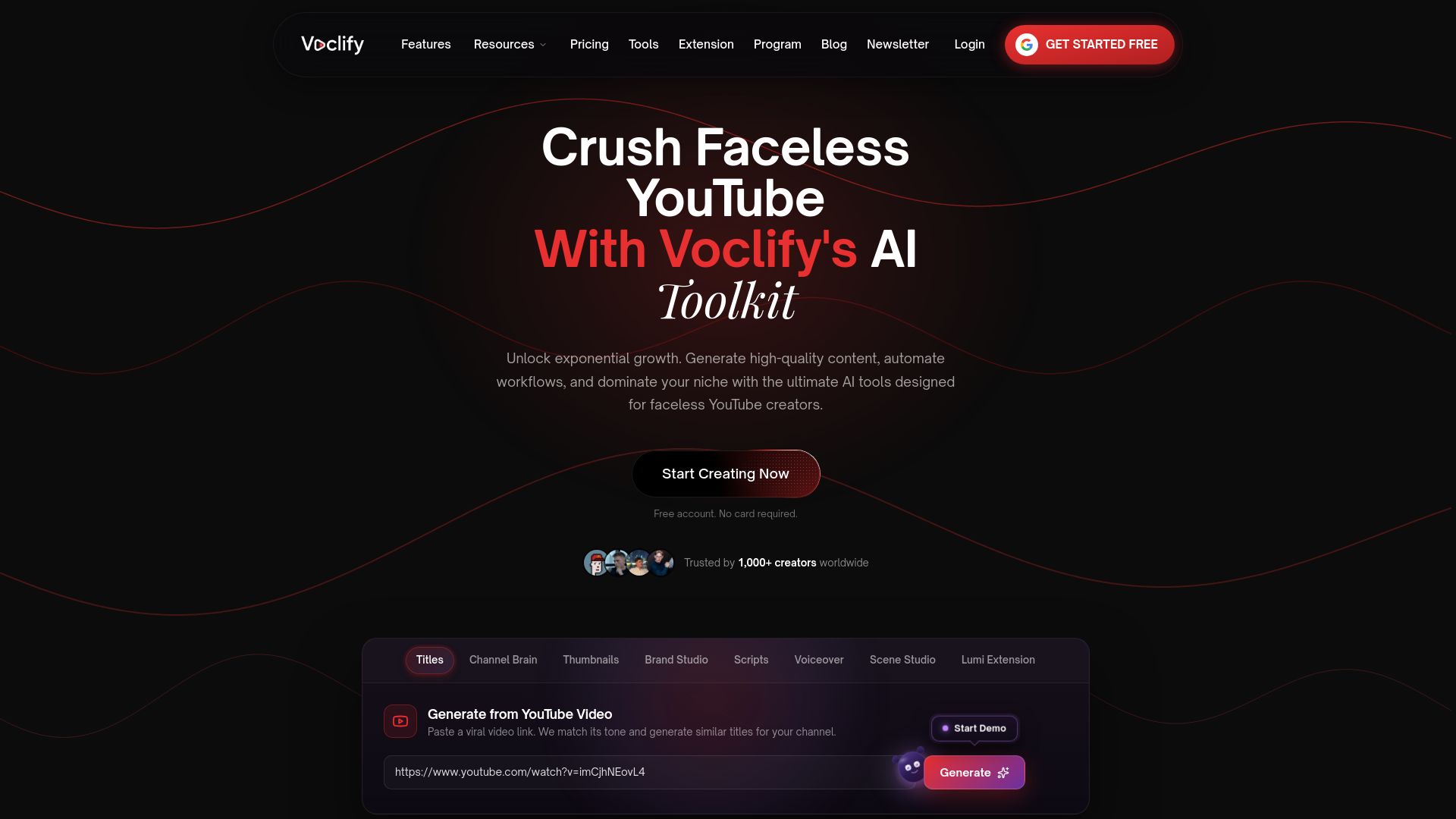
If you already know your target queries and intents, the slow part is production. Voclify is an AI toolkit for faceless YouTube creators, with tools for scripts, titles, descriptions, thumbnails, voiceovers, competitor analysis and channel branding, plus a Chrome extension that works inside your browser workflow. Plans are published at $20 per month for Starter, $50 per month for Growth and $99 per month for Studio.
A practical way to start: take one query, write down its lead intent, then run it through the script generator for faceless channels and the AI voiceover generator. If you run several channels and want hands-on structure, look at the YouTube Faceless Operator Program.
FAQ
What is search intent on YouTube?
It’s the goal a viewer has when they type a query: a quick answer, a tutorial, a comparison or entertainment. YouTube Search ranks videos on relevance, engagement and quality, so a video that matches the goal tends to hold attention and perform better for that query.
Is YouTube search intent the same as YouTube ad targeting?
No. Organic search intent is something creators build into videos. Ad targeting by search history is an advertiser tool that builds audiences from keywords people recently searched on Google. As Search Engine Land notes, that ad signal can be out of date.
How do I find out what viewers want for a keyword?
Start with the top results for the query, then check the Inspiration tab and Search Insights in YouTube Studio. Look at format, length and recency of the ranking videos, and look for content gaps where results are thin. That tells you what viewers are being offered and what’s missing.
Do faceless channels need to think about intent differently?
The principle is the same, but the stakes are higher. With no on-screen host to carry a weak video, the topic, title, thumbnail and script have to deliver the promise on their own. A repeatable structure per intent type makes that easier to sustain.
How do I know if my video satisfied the intent?
Compare click-through, retention and average view duration in YouTube Analytics. Strong clicks with an early drop-off point to a packaging promise your opening doesn’t keep. Strong retention with few impressions points to a topic or metadata problem.
Sources
- About targeting for Video campaigns - YouTube Help
- Learn more about how YouTube works for you - YouTube Help
- How YouTube Search works - YouTube Help
- Search & discovery tips for Shorts - YouTube Help
- 7 important YouTube Ads lessons you need to learn - Search Engine Land
- Know their intention, get their attention - Google blog
- Explore inspirational ideas - YouTube Help
- Explore Inspiration tab on YouTube - YouTube Help
- YouTube Keyword Research Made Easier With Search Insights - Search Engine Journal
- How to do YouTube keyword research - Semrush
- How to Do YouTube Keyword Research in 3 Easy Steps - Ahrefs
- How to get started as a YouTube creator - YouTube Blog
- Rene’s Top Five on YouTube: July 25, 2024 edition - YouTube Blog
- Pick a strategy for reaching global audiences - YouTube Help
- Add Multi-language features to your videos - YouTube Help
- Tips to learn what content to create - YouTube Help
- Five Beat Video Script Outline - ProNoto Blog
Recommended

Get more of this in your Google results
Add voclify.io as a preferred source and Google shows you more of our articles in Search and AI Mode.


