Write scripts modularly: build the hook first, block out your beats second, then draft the middle in a conversational voice and polish it against your retention data. This method gets scripts done faster because you’re never staring at a blank page waiting for the whole thing to flow, and it boosts retention because every piece gets built with a specific job to do. Pair it with YouTube Analytics for editing decisions and a tool like Voclify for the repetitive parts, and you’ll cut your writing time without losing the voice that keeps people watching.
TL;DR:
- Scripts should be built modularly, starting with an engaging hook, then organizing content beats that can be easily reordered or cut.
- Effective hooks employ formulas like the gap, clock, or confession to immediately capture viewer interest within the first 30 seconds.
- Using YouTube Analytics to identify key moments helps refine scripts by emphasizing rewatched parts and tightening dips for better retention.
- Read-aloud rehearsals improve pacing, pacing disruptions every 300 words, and strategic transitions keep viewer curiosity high.
- Automation tools like Voclify can expedite script drafting, visual generation, and branding, freeing creators to focus on storytelling and delivery.
Quick frameworks you can adopt now
I’ve watched this play out on dozens of channels: creators who freestyle their scripts get inconsistent retention, and creators who use a repeatable structure don’t. Structure isn’t restrictive, it’s what lets you move fast without losing quality.
The Hook Trident is the fastest way to open a script. It gives you three angles, pick whichever fits your topic:
- Spike: open mid-action or with a surprising visual cue (“I deleted my top-performing video, here’s why”).
- Proof: lead with a result or number your video will explain or replicate.
- Stakes: name what the viewer loses by not knowing this (“Most people mess this up in the first ten seconds”).
Once the hook lands, your modular beats carry the rest. A typical structure runs: hook, context or setup, three to five content beats (each one a self-contained mini-lesson or story unit), a recap beat, and a CTA. Write each beat as its own block, not as part of a continuous paragraph, and you can reorder or cut any of them without rewriting the whole script.
On hook style, use PAS (Problem, Agitate, Solution) when your topic solves a clear pain point, tutorials and reviews fit this well. Use a curiosity gap (“The setting nobody talks about”) when the topic is more exploratory or entertainment driven and you don’t have an obvious problem to name.
For CTAs, place a small ask (like, subscribe, comment) right after a beat that delivers a payoff, never right after the hook. A micro-CTA takes one sentence: “If that surprised you, the next part will too, subscribe if you want more of this.” It doesn’t interrupt momentum because it rides on a moment where the viewer already feels rewarded.

A time-boxed scripting workflow you can finish in one session
You don’t need three days to write a script. Here’s a session structure that gets you from blank page to polished draft in about 90 minutes, adjust the blocks if your videos run longer.
- Minutes 0 to 15, ideation and angle: write your title and thumbnail concept first, then one sentence describing the promise your intro has to deliver.
- Minutes 15 to 30, outline the beats: list your beats as bullet fragments, not full sentences, just enough to know what each section covers.
- Minutes 30 to 45, write the hook and the ending separately: draft your opening 15 to 30 seconds and your CTA/recap before touching the middle. These two pieces set the tone and payoff, and writing them first keeps the middle from drifting off-topic.
- Minutes 45 to 75, draft the middle beats conversationally: dictate each beat out loud as if you’re explaining it to a friend, then clean up the transcript. This keeps your sentence rhythm natural instead of stiff and written.
- Minutes 75 to 90, stitch and read aloud once: combine everything, read it aloud at speaking pace, and mark anywhere you stumble or lose the thread.
Two outline templates to start from:
- 5 to 10 minute video: hook (0:00 to 0:20), setup (0:20 to 0:45), three beats (roughly 90 seconds each), recap (30 seconds), CTA (15 seconds).
- 8 to 12 minute video: hook (0:00 to 0:25), context (0:25 to 1:00), four to five beats (90 to 120 seconds each), a mid-video pattern interrupt around the halfway point, recap, CTA.
Dictation works especially well for the middle beats because it forces you to explain rather than perform. A simple prompt to say out loud before recording: “Explain this beat like you’re texting a friend who asked you directly.” Transcribe it, trim the filler, and you have a draft that already sounds like you.
Writing hooks and intros that stop the scroll
Your intro percentage, the share of viewers still watching after your opening, is one of the clearest signals in YouTube Studio. YouTube’s own retention guidance treats the first roughly 30 seconds as the intro window, and a video keeping over half its audience through that stretch is considered above typical performance. Every second in that window has to earn the next one.
Three hook templates worth stealing:
- The gap hook: state a common belief, then contradict it. “Everyone tells you to post daily. I posted once a week and grew faster.”
- The clock hook: put a visible time or count pressure on the payoff. “By the end of this video you’ll have three ready-to-use templates.”
- The confession hook: admit a mistake or a surprising result up front. “I almost deleted my channel last year. Here’s what changed.”
Your intro also has to match what your thumbnail and title promised. If your title says “3 mistakes,” your first line should reference those mistakes directly, not a vague tease. A mismatch between packaging and payoff is one of the fastest ways to lose viewers in the first ten seconds. Our guide to writing hooks that hold viewers past 30 seconds breaks down more formulas if you want a deeper library.
For quick testing, swap only the first line between two upload drafts (if your workflow allows it) or run the same hook style across three videos and compare intro percentage in Studio.
Pro Tip: Write five hook variations for every script, then read each one aloud. The one that makes you want to keep talking is usually the one that’ll make viewers want to keep watching.
Use YouTube Analytics to iterate script drafts
Your retention graph is a script edit list disguised as a chart. YouTube Help’s key moments report surfaces your top moments, spikes, and dips, and each one tells you something specific about what you wrote.
- Find the report: open YouTube Studio, go to a video’s Analytics, then Audience Retention, and look for the Key Moments panel.
- Read the spikes: a spike usually means a moment viewers rewatched or shared, that’s a beat worth featuring earlier or repeating in future scripts.
- Read the dips: a sharp drop usually points to a slow setup, a repeated point, or a promise that took too long to deliver, tighten or cut that section next time.
- Run a one-change test: pick a single metric (intro percentage or a specific dip point), make one edit to your next script’s structure, and check the result after a day or two of views.
One consistent pattern is worth planning around: YouTube’s guidance treats keeping viewers past your intro’s first 30 seconds as a strong retention signal, which is why front-loading your best moment matters more than saving it for a big reveal.
If your top moment currently sits at the two-minute mark, try moving a version of it into your hook. If you see a dip right after your intro, that’s often a sign the setup beat is repeating something the hook already said, cut the overlap.

Polish and pacing: editing for natural delivery and watch time
A script that reads well on the page can still sound stiff out loud, so the read-aloud pass is not optional. Read your full draft aloud once before recording and mark every sentence where you stumble, add an unnecessary “just” or “basically,” or run out of breath before the period.
A rough pacing heuristic: aim to hit a pattern interrupt (a question, a visual cue, a tone shift, a short pause line) roughly every 300 words. That’s about the point where attention naturally starts to drift, and a small disruption resets it.
Adversative transitions (“but here’s where it gets tricky,” “except that’s not what happened”) keep curiosity alive between beats better than a flat “next” or “moving on.” They signal a turn is coming, and viewers lean in for turns.
Before recording, run a quick checklist:
- Timing: does the script’s estimated read time match your target video length?
- Visual cues: are there spots that need a screen recording, b-roll, or on-screen text to land?
- CTA placement: is your ask sitting after a payoff beat, not floating alone?
Pro Tip: Time yourself reading the script at a relaxed, conversational pace, not rushed. Whatever that number is, that’s your real runtime, not your word count divided by 150.
Tools and automation workflows for faceless creators
For faceless channels especially, a repeatable tool workflow matters more than any single piece of software. A practical sequence looks like: ideation and outline templates, an AI-assisted conversational draft, automated scene or visual generation, then a manual edit pass.
A general AI prompt pattern that works well for drafting a beat: describe the beat’s goal, the tone you want, and one concrete example you’d use, then ask for a short conversational paragraph rather than a polished essay. You’ll always rewrite parts of it, but it removes the blank-page problem for the middle sections.
This is where a dedicated platform like Voclify fits into the workflow. It automates the parts that eat the most time for faceless creators: generating a first-pass script draft from your outline, producing title and thumbnail options, and building scene images for sections that need visuals, so the modular workflow above moves faster without you retyping structure every time. Our roundup of AI writing tools for YouTube scripts covers other options if you want to compare approaches before settling on one.
Where automation should stop: dialogue tags, personal anecdotes, and anything meant to sound like your specific voice. Those need your read-aloud pass, not a generator’s best guess.
- Use automation for structure, drafts, and visuals.
- Keep the hook, the anecdotes, and the final read-aloud pass in your own hands.
Tailoring scripts to different YouTube content types
A tutorial script and a vlog script shouldn’t follow the same beat structure, even though both use the modular framework underneath.
Tutorials need a clear numbered structure: state the end result up front, then walk through steps in the exact order the viewer needs to follow along. Skip the personal tangents until the steps are done. Our structure guide for tutorial videos covers pacing specifics for this format.
Vlogs lean on narrative beats instead of instructional ones: a moment, a reaction, a turn, a takeaway. The hook can be looser here, an intriguing visual or an emotional line works better than a promise of results.
Reviews work best structured around comparison points: what you expected, what actually happened, and a clear verdict beat near the end. Keep your criteria consistent across every beat so viewers can follow your logic.
Educational videos benefit from the tutorial’s clarity but need more context-setting. Open with why the topic matters before jumping into the explanation, then use beats to build one concept on top of the last.
Across all four, the beat count and pacing heuristic from the workflow above still apply. Only the content of each beat changes.
Strategies for integrating storytelling elements to increase viewer engagement
Facts hold attention for a sentence or two. A story holds it for minutes. Even a straightforward how-to script gets stronger when at least one beat is framed as a small narrative rather than a list of facts.
The simplest way to add story without turning your script into a memoir: attach a brief before-and-after to your main point. “I used to do X, it wasn’t working, then I tried Y” gives viewers a character (you), a problem, and a resolution, which is the entire shape of a story in three sentences.
Specificity does more work than length. “I lost half my views overnight” is forgettable.
Use tension deliberately: state a problem, delay the resolution by one beat, then deliver it. This is the same mechanic as the curiosity-gap hook, just applied inside the body of the script instead of the opening.
Keep storytelling beats short. A 20 to 30 second anecdote that lands a point beats a two-minute tangent that loses the thread. The goal is to make a fact memorable, not to pad your runtime.
Tips for SEO optimization within scripts
Your script isn’t just for viewers, parts of it feed into how discoverable your video becomes, particularly through your description and how clearly your spoken content matches your title’s promise.
Mention your main keyword or topic phrase naturally within the first 30 seconds of spoken content. This isn’t for search algorithms scanning your speech directly, it’s because your intro should reinforce the exact promise your title and thumbnail made, and that alignment is part of what YouTube’s own performance guidance frames as the appeal-to-satisfaction chain: your packaging earns the click, your content has to deliver on it.
Write your title and thumbnail concept before your script, not after. When the script is built to fulfill a specific promise, the description and closing recap almost write themselves, and you avoid the common trap of a title that oversells content the script doesn’t actually cover.
Use your recap beat to restate your core topic phrase naturally, this helps viewers (and eventually your own future self, scanning old scripts) understand what the video actually delivered, and it gives you a clean sentence to reuse in your description.
Common mistakes to avoid when writing YouTube scripts
The most common mistake is writing the hook last. If you draft the whole script and bolt on an opening at the end, it almost always sounds like a summary instead of a promise, because it is one.
A second mistake is treating the script as a performance transcript instead of a conversation. Overly formal, essay-style sentences read fine on paper and sound wooden out loud. If you wouldn’t say a sentence to a friend, rewrite it.
Padding the middle to hit a target length is a third one. A 12-minute script with 8 minutes of usable content doesn’t perform better for being longer, it just gives viewers more places to leave.
Ignoring your own retention data is the fourth. Writing every script the same way regardless of what previous videos’ key moments and dips actually showed is a missed feedback loop that’s sitting right in your analytics for free.
Finally, mismatched packaging: writing a script that wanders far from what the title and thumbnail promised. This is one of the fastest ways to spike your intro drop-off, because viewers clicked expecting one thing and got another.
Guidelines for adapting scripts for live vs prerecorded content
A prerecorded script can be tight and modular because you control every cut. A live script has to be looser, more of a beat sheet than a word-for-word draft, since you’re reacting to chat and can’t retake a stumble.
For prerecorded scripts, write full sentences for your hook and CTA (the parts that need to be precise) and looser bullet notes for the middle beats you’ll deliver more naturally on camera or in voiceover.
For live content, prepare a beat list with timing targets rather than full sentences: what topic comes when, roughly how long to spend on it, and two or three talking points per beat. Trying to read a full script live usually sounds stilted and makes it harder to respond to real-time chat engagement.
Both formats still benefit from the hook-first approach. Even in live streams, plan your opening line before you go live, since the first moments matter just as much when viewers are deciding whether to stay in a live room as they do in a prerecorded video’s intro window.
An experienced creator’s take on scripting fast without losing quality
Modular drafting scales because it turns one big, intimidating task into five small, specific ones, and small tasks get finished. The mistake I see most often isn’t slow writing, it’s writing a lot without checking whether any of it actually held viewers.
Retention-driven edits beat raw output every time. A shorter script that matches your retention data will always outperform a longer one that ignores it.
— Arnas
Try Voclify: how the platform speeds script production
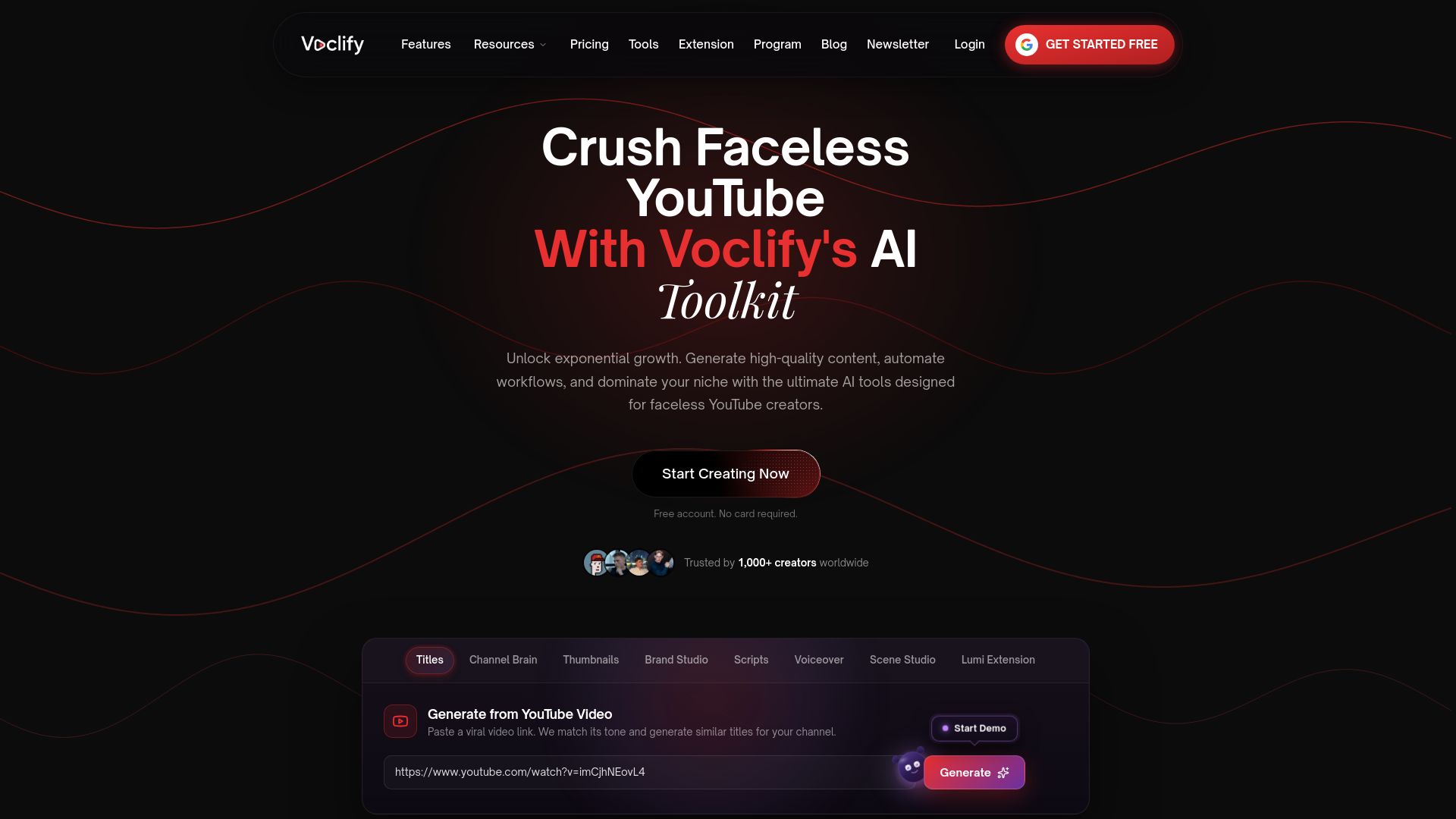
If the modular workflow above sounds right but the idea of doing it manually for every upload sounds exhausting, that’s the exact gap Voclify is built to close for faceless creators. The platform automates the repetitive parts, generating a first-pass script draft from your outline, producing title options, building scene images for beats that need visuals, and keeping your branding consistent across videos, so you spend your time on the hook, the voice, and the read-aloud pass instead of retyping structure.
Getting started doesn’t require a big commitment. Voclify offers a free browser extension with limited functionality, plus paid plans for the full toolkit, with current prices available on the Voclify plans page. If you’d rather follow a guided curriculum instead of building your own workflow from scratch, the YouTube Faceless Operator Program walks through a managed process for launching and scaling a faceless channel.
- Automate drafts, titles, and scene visuals, not your hook or anecdotes.
- Start free with the browser extension, upgrade when you need the full toolkit.
- Explore the AI YouTube tools built for faceless creators to see which parts fit your current workflow.
FAQ
How many views do I need to make $10,000 a month on YouTube?
There’s no fixed view count because YouTube’s monetization system pays out based on multiple revenue sources, ad rates, audience location, and niche, all of which vary widely between channels. A channel would need to estimate its own RPM from its analytics and work backward from there rather than relying on a general view target.
What is the 7 second rule on YouTube?
The idea that you have only a few seconds to prove your video delivers on its title and thumbnail before viewers decide to leave is common among creators. YouTube’s own guidance frames the meaningful window slightly longer, noting that intros are typically about 30 seconds, and it’s viewer retention through that stretch that signals a strong opening.
How many views on YouTube do you need to make $2,000 a month?
Earnings depend on RPM, which YouTube Help explains is shaped by ad rates, audience geography, and content category rather than a flat per-view rate. Two channels with identical view counts can earn very different amounts depending on these factors.
How much do YouTube script writers get paid?
Published, standardized pay rates for YouTube script writers are not publicly listed by YouTube or another authoritative source, so any specific figure floating around online should be treated as anecdotal rather than an industry standard. Rates in practice vary by channel size, script length, and whether the writer works freelance or in-house.
Recommended

Get more of this in your Google results
Add voclify.io as a preferred source and Google shows you more of our articles in Search and AI Mode.