Use a short outline, not a word-for-word script: it keeps delivery natural, speeds filming, and improves viewer retention. The best format is a fill-in-the-blank structure of hook, promise, three to five story beats, proof or example, then a CTA and outro, each with rough timing attached. You’ll find copy-ready templates for long-form and Shorts below, plus a checklist you can paste into your notes app before your next shoot.
TL;DR:
- Using outlines instead of full scripts significantly reduces filming time and produces a more natural, conversational delivery that boosts viewer trust.
- Structuring videos with a clear hook, promise, 3-5 main beats, proof, CTA, and outro helps maximize audience retention and aligns content with viewer expectations.
- Creating a detailed shot list from your outline and filming each beat in one take improves efficiency and organization during editing.
- Generating outlines and scripts with AI tools like Voclify can speed up production, especially for faceless channels, and assist in refining pacing based on retention data.
- Running your outline against previous top-performing videos’ retention graphs can identify weak points to revise before filming the next video.
Why a YouTube Video Outline Beats a Full Script
I’ve watched creators freeze up reading a script off a teleprompter, then loosen up completely once they switched to bullet points. That’s not a coincidence. YouTube’s own guidance says the first 30 seconds are the strongest signal of whether your content matches what a viewer expected from your title and thumbnail, and stiff, memorized delivery tends to hurt that match more than people realize, according to YouTube’s audience retention guidance.
Outlines fix several problems at once:
- They keep your delivery conversational instead of recited, which reads as more trustworthy on camera.
- They cut editing time because you’re not fighting flubbed lines from a memorized script.
- They speed up shooting since you know your beats without reading word for word.
- They’re easier to work from if reading dense text on camera is a challenge for you.
A full script still earns its place when you need exact legal disclaimers, technical specs, or sponsor-mandated wording. Everything else runs faster on an outline.
The Core YouTube Video Outline Template
Every solid video script outline breaks into six parts, and each one does a specific job.
- Hook (0 to 15 seconds for long-form, under 1.5 seconds for Shorts). Your job here is to interrupt scrolling or clicking away. YouTube’s own Shorts team recommends a shock, intrigue, or satisfy formula that grabs attention almost instantly, per the YouTube Shorts deep dive.
- Promise (15 to 30 seconds). State exactly what the viewer gets by staying. This is the line that has to match your title and thumbnail, since a mismatch here is where retention typically drops.
- Main beats (three to five, roughly 1 to 2 minutes each in long-form). Each beat is a mini story on its own: setup, tension, payoff. Anchoring beats in a clear conflict or universal truth is a repeatable structure creators use to hold attention, according to YouTube’s own creator interviews.
- Proof or example. A screen recording, before/after, testimonial, or data point that backs up beat three or four.
- CTA. One clear ask, subscribe, comment, or click the next video, stated plainly.
- Outro (5 to 10 seconds). A quick line that closes the loop on your promise.
Long-form timing example: Hook (0 to 15s) → Promise (15 to 30s) → Beat 1 (30s to 2m) → Beat 2 (2 to 4m) → Beat 3 (4 to 6m) → Proof (6 to 7m) → CTA and outro (7 to 7:30).
Shorts timing example: Hook under 1.5 seconds → Build (5 to 10s) → Satisfy moment (10 to 30s) → Quick CTA (30 to 45s).

Your strongest visual should land inside that first 15 to 30 second window, not buried in beat three. That’s where the retention data actually gets decided.
Three Ready-Made Video Outline Templates
Different formats need different skeletons. Here are three you can adapt today.
Tutorial template: Promise → quick numbered step list → demo of each step → outcome shown → CTA. Filled example: “Promise: edit your first YouTube Short in 10 minutes. Steps: import clip, trim dead space, add captions. Demo: screen record each step. Outcome: show the finished Short. CTA: comment your niche for a template.”
Listicle template: Headline promise → 3 to 5 items, each with one takeaway sentence → CTA. Filled example: “Promise: 4 mistakes killing your watch time. Item 1: weak hook, fix by cutting your intro to one sentence. Item 2: no promise stated. CTA: subscribe for part two.”
Story template: Setup → conflict → reveal → lesson → CTA. Filled example: “Setup: I posted daily for 90 days with zero growth. Conflict: I almost quit at day 60. Reveal: one outline change doubled my average view duration. Lesson: outline your hook before anything else. CTA: try the free template below.”
- Tutorial fits how-to and software walkthroughs best.
- Listicle fits comparison, mistake, and tip-roundup content.
- Story fits vlogs, case studies, and behind-the-scenes formats.
Pick the shape that matches your niche, not the one that looks impressive on paper.
A Fast Workflow: Idea to Filmed Video in Under 90 Minutes
You don’t need a full production day to go from idea to camera-ready. A tight workflow looks like this:
- 0 to 15 minutes: Pull an idea from YouTube Studio’s Inspiration tab or an audience poll instead of chasing a trend blindly, a method backed by YouTube’s own ideation guidance.
- 15 to 35 minutes: Write your outline using the template above, one line per beat.
- 35 to 50 minutes: Build a shot list from the outline, noting which beats need b-roll versus talking-head footage. A simple scene-slate habit, borrowed from the traditional clapperboard used on film sets, keeps clips organized during editing, per Wikipedia’s overview of the clapperboard.
- 50 to 90 minutes: Film in one take per beat, using your outline as a teleprompter guide rather than a script.
Tool categories worth having on hand: outline generators, teleprompter apps that read bullet points at a controllable pace, and voiceover generators for faceless channels that skip on-camera delivery entirely. Once a video is live, check YouTube’s key moments for audience retention report to see exactly where viewers drop off, then rewrite that specific beat before your next shoot, since retention data can flag the weak point within a day or two of processing.
Outline and script-generation tools can slot into that 35-minute mark, turning a rough idea into a structured outline and a teleprompter-ready script export in one pass.
Pro Tip: Run your outline against last month’s top-performing video’s retention graph before filming. If a similar beat lost viewers last time, restructure it now instead of finding out again after publishing.

Your Pre-Shoot Checklist and Printable Outline
Run through this before you hit record:
| Check | What to confirm |
|---|---|
| Hook test | Reads the hook aloud in under 5 seconds |
| Title/thumbnail match | Promise line matches what the thumbnail implies |
| First 30 seconds | Promise is stated clearly before beat one starts |
| Camera and audio | Levels checked, framing confirmed |
| B-roll notes | Each beat has at least one visual noted |
| CTA rehearsal | CTA line practiced once before recording |
Paste this eight-line skeleton into your notes app for any video:
- Hook:
- Promise:
- Beat 1:
- Beat 2:
- Beat 3:
- Proof/example:
- CTA:
- Outro:
For Shorts, compress lines 1 through 3 into a single line since your entire hook window is under 1.5 seconds.
Why I Stopped Writing Full Scripts
Switching from full scripts to outlines is the single change I’d tell a new creator to make first. It cuts filming time dramatically and the delivery sounds like a person talking, not a person reading. Outline tools can help creators across faceless niches ship videos faster without losing that natural tone, and channels using structured but flexible outlines have grown substantially in subscribers. Build the template once, then let your retention data tell you which beat to rewrite next.
— Arnas
Turn Your Outline Into a Filmed Video Faster With Voclify
Some toolkits are built specifically for faceless creators who need to move from idea to published video without hiring a writer, editor, and voiceover artist for every upload. Instead of manually drafting an outline, then a script, then a thumbnail concept, such suites handle title generation, script writing, thumbnail creation, and voiceover production inside one workflow.
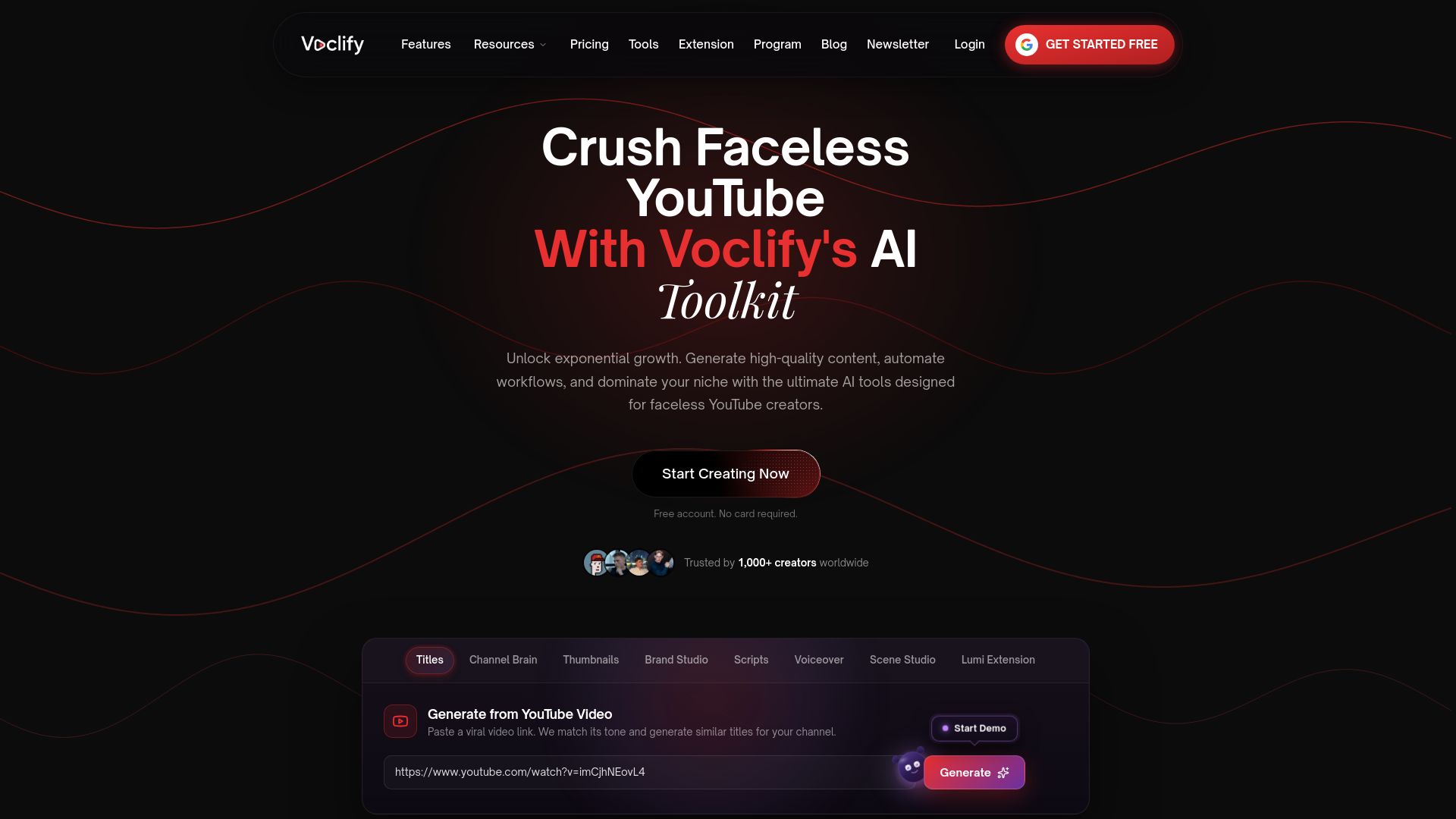
A practical flow looks like this: generate your outline and expand it into a teleprompter-ready script, pull a matching AI voiceover if you’re running a faceless channel, then generate a thumbnail concept before you even start filming. If your hooks need sharpening, the script rewriter tightens pacing without a full rewrite.
Plans start with Starter at $20 per month, Growth at $50 per month, and Studio at $99 per month, all available on the Voclify homepage. If you’d rather follow a managed curriculum instead of building your workflow solo, the YouTube Faceless Operator Program walks you through the same process with structured guidance. Start with the free-tier tools and see how fast your next outline turns into a finished upload.
Sources
- YouTube Shorts deep dive: A conversation with product lead Todd Sherman and creator Jenny Hoyos - YouTube Blog
- Audience retention and analytics - YouTube Help
- Four lessons to grow your channel from Dhar Mann - YouTube Blog
- Key moments for audience retention - YouTube Help
FAQ
How Many Views Do You Need to Make $2,000 a Month on YouTube?
There’s no single view count because payout depends on ad type, audience location, and niche, but eligibility itself requires 1,000 subscribers plus either 4,000 watch hours in the last 12 months or 10 million Shorts views in the last 90 days, per YouTube’s partner earnings overview. Watch Page ads pay creators 55% of net revenue while Shorts Feed ads pay 45%, so a channel monetizing mostly through long-form typically needs fewer total views than a Shorts-heavy channel to hit the same dollar target.
How Do I Create an Outline for a YouTube Video?
Start with your hook, then write your promise line, then list three to five main beats as short phrases rather than full sentences. Add a proof or example point and a CTA at the end, and keep the whole thing to eight lines or fewer so it stays scannable while you’re filming.
What Are the Four Types of Outlines?
The most common formats for written and video outlines are topic outlines, sentence outlines, alphanumeric outlines, and decimal outlines, though for YouTube specifically, tutorial, listicle, story, and hybrid outlines cover almost every format creators actually use. Pick based on your content type rather than forcing every video into the same shape.
How Do I Make a Border for a Video?
Borders and frames are typically added in your editing software using an overlay or a picture-in-picture template, not in the outline stage. Most editors like CapCut or Premiere Rush include built-in frame and border presets you can drag onto your timeline after filming.
Does Voclify Help With Outlines Specifically?
Voclify generates outlines and expands them into teleprompter-ready scripts as part of its broader toolkit for faceless creators. Pricing starts at $20 per month on the Starter plan, which includes outline and script generation among its core tools.
Recommended

Get more of this in your Google results
Add voclify.io as a preferred source and Google shows you more of our articles in Search and AI Mode.