If your click-through rate is stuck below where it should be, the fastest fix is almost always packaging, not content quality. Pull your highest-impression video from the last 90 days, rewrite the title to state the outcome plainly, and pair it with a redesigned thumbnail built around one clear focal point. Run that single change for at least two weeks or until the video crosses roughly 1,000 impressions before you judge the result. One variable, one video, one real sample.
TL;DR:
- Improving packaging by rewriting titles and redesigning thumbnails around a clear focal point can significantly boost CTR if tested for at least two weeks and over 1,000 impressions.
- Low CTR often results from thumbnail and title mismatch, traffic source skew, audience fatigue, or mobile truncation, rather than content quality.
- Proper diagnosis requires analyzing YouTube Reach reports and Search Console data while adjusting for traffic source, device, and impression volume.
- Automated tools that generate multiple variants of titles and thumbnails speed up testing and help identify impactful packaging changes faster.
- Sustained, incremental CTR growth focused on relevance and viewer trust is more effective than clickbait spikes that harm long-term engagement.
What Causes Low CTR in the First Place?
Low CTR almost never has one culprit. It’s usually two or three problems stacked on top of each other, and most creators only fix the one they can see.
Thumbnail and title mismatch tops the list. If your thumbnail promises one thing and your title promises another, viewers hesitate instead of clicking. That hesitation shows up as a flat CTR even when your video ranks well or gets pushed into feeds. According to YouTube’s own benchmark data, a CTR in the 4 to 6% range is considered average, 6 to 9% is good, and anything above 9% is excellent.

Traffic source mix distorts your numbers more than most creators realize. A video pulling views from Browse features (your subscriber feed, home page) will show a very different CTR than one relying on Suggested videos or Search. Browse traffic tends to run higher because those viewers already follow you. Suggested traffic is colder and CTR drops accordingly. If you’re comparing your CTR to a benchmark without checking traffic source first, you’re comparing apples to a fruit basket.
Audience mismatch and pattern fatigue creep in gradually. If your last ten thumbnails all use the same red arrow and shocked face, your subscribers stop noticing them. The algorithm keeps showing the video to the same audience segment, and that segment has already tuned out your visual pattern.
Mobile truncation kills more titles than bad writing does. A title that reads perfectly on desktop can turn into confusing fragments on a five-inch display.
Measurement artifacts are the most overlooked cause. Small ad campaigns suffer the same problem: a $50 test budget doesn’t generate enough impressions to tell you anything reliable.
Common root causes, ranked by frequency:
- Thumbnail/title pairing that doesn’t clearly signal value
- Traffic source skew (too much cold Suggested traffic, not enough warm Browse traffic)
- Audience targeting drift or creative fatigue from repeated visual patterns
- Mobile legibility failures in both thumbnail text and title length
- Sample sizes too small to draw a real conclusion
Diagnosing Low CTR With YouTube Analytics and Search Console
You can’t fix what you haven’t isolated. Before changing a single pixel, run through this diagnostic sequence.
- Open the YouTube Reach report in Studio. This is where impressions, impressions CTR, and the traffic-source breakdown live together. YouTube’s own Reach report documentation explains how impressions translate into watch time, and it’s the first place to check whether your thumbnail is even getting shown enough to matter.
- Check CTR against traffic source, not in isolation. A 3% CTR from Suggested traffic might be perfectly normal. A 3% CTR from Browse traffic on a channel with an engaged subscriber base is a red flag.
- Open Google Search Console’s Performance report for any video or page you’ve optimized for search. Sort by impressions, then by CTR, and look for the intersection: high impressions, low CTR. That’s your priority list.
- Filter for the queries driving impressions. Search Console’s guidance on identifying low-CTR pages recommends checking whether your title actually matches the language people are searching for. A title optimized for “editing tips” won’t perform if most impressions come from “how to fix shaky footage.”
- Segment by device. The GSC Performance report lets you break down clicks and impressions by device, country, and query. A CTR gap between mobile and desktop almost always points to a legibility problem, not a content problem.
Pro Tip: Set a minimum impression threshold before you act on any CTR number. For YouTube videos, wait for at least 1,000 impressions. For search pages, wait for 1,000 impressions over a comparable date range (week over week, not Tuesday versus Saturday). Acting earlier means you’re reacting to noise.
Comparing date ranges matters as much as the raw number. YouTube’s help documentation on impressions and click-through rate explicitly warns against reacting to single-day fluctuations. CTR should be read as a trend line across weeks, filtered by traffic source, not a daily scoreboard.
One more diagnostic habit worth building: check whether your low-CTR video shares a topic with something already ranking well on your channel. If a new video on a familiar topic underperforms an older one, the packaging is the variable, not audience interest.
Quick Fixes You Can Ship This Week
Once you know where the CTR problem lives, most fixes are fast. Here’s the priority order, from highest to lowest impact.
Thumbnail checklist:
- One clear focal point (a face, product, or object) that reads instantly at thumbnail size
- High contrast between subject and background, since low-contrast thumbnails vanish in a crowded feed
- Text limited to three to five words, sized to stay legible at mobile thumbnail dimensions (roughly 120 by 68 pixels)
- A color palette that doesn’t blend into YouTube’s white and dark interface modes
Title checklist:
- Lead with clarity over cleverness. Research on title performance shows that clear, semantic, outcome-focused titles often beat curiosity-only titles for sustained CTR
- State the outcome the viewer gets, not just the topic
- Match the phrasing of your top driving queries from Search Console or YouTube Analytics
- Skip over-used intensifiers like “insane” or “shocking” unless the content genuinely earns them; audiences have grown numb to them
Search snippet actions, for any blog post or landing page showing low CTR in Search Console: rewrite the title tag to include the query language people actually type, tighten the meta description to promise a specific answer, and add a short call to action (“see the full breakdown,” “compare both methods”). Even a 1 to 2 percentage point CTR lift on a high-impression query, as SEO practitioners note, meaningfully increases traffic without any change in ranking position.
Traffic and targeting fixes for ad campaigns: narrow audience segments that have gone stale, refresh creative rotation before fatigue sets in, and check whether your ad copy still matches the landing page. For video metadata, revisit tags and descriptions so they reflect what the video is actually about, since mismatched metadata can push your video into the wrong Suggested feed entirely.
Before you publish anything, view the thumbnail at actual mobile size, not full screen on your monitor. What looks bold on a 27-inch display can look like a smear on a phone.
Testing Changes Without Fooling Yourself
CTR tests fail for a predictable reason: too many variables change at once. Fix that with a disciplined process.
- Change one variable at a time. Swap the title or the thumbnail, never both in the same test window. If both change and CTR moves, you won’t know which one caused it.
- Control for traffic source. Compare CTR within the same traffic source across your test window, not blended totals. A shift in Browse versus Suggested mix can fake a CTR improvement that has nothing to do with your edit.
- Wait for a real sample. A minimum of 1,000 impressions per variant is a reasonable floor for a directional read; several thousand gives you a confident one. Below that, you’re reading noise.
- Check retention alongside CTR. A thumbnail that pulls more clicks but tanks average view duration isn’t a win. It’s a signal that the packaging over-promised.
- Log every test. Record the before and after CTR, the sample size, the date range, and the traffic-source split. Calculate a simple lift percentage: (new CTR minus old CTR) divided by old CTR. A 4% CTR moving to 5% is a 25% relative lift, which is worth noting even though the raw percentage-point change looks small.
Industry guidance on prioritization backs this up directly: SEO practitioners recommend focusing testing effort on your highest-impression, lowest-CTR assets first, since that’s where a small percentage-point gain compounds into the most additional clicks.
Watch dates too. Comparing a two-week test window against a holiday week, a viral spike week, or a week you posted three times instead of your usual one will corrupt the read. Match traffic conditions as closely as you can, or extend the window until seasonal noise averages out.
When CTR Isn’t the Real Problem
Sometimes your packaging is fine and the CTR ceiling comes from somewhere else entirely.
AI-generated summaries are changing how search behaves. Analysis of AI Overview expansion shows these summaries are compressing organic click volume across search results, because users get their answer without clicking through at all. If your search CTR has declined even though your title and meta description haven’t changed, an AI summary sitting above your result in the search page may be absorbing clicks that used to be yours. The fix isn’t a better meta description. It’s offering something the summary can’t replicate: specific data, a unique framework, or a current-year figure a generic AI answer won’t have.
CTR is also a symptom, not always the disease. A video ranking on page two of Suggested results, or a search result buried below three competitor snippets and a featured answer box, will show low CTR no matter how good the thumbnail is. In that case, the real lever is improving rank or impression volume, not tweaking packaging further.
Other platform-level effects worth checking:
- SERP features (People Also Ask boxes, image carousels, shopping modules) can push your organic result down the page even when your ranking position hasn’t moved
- YouTube’s Suggested placement algorithm weighs session-level signals, meaning a great thumbnail on a poorly-sequenced channel can still underperform
- A sudden CTR drop across your whole channel, not just one video, usually points to an algorithm or interface change rather than anything you did
If CTR is flat across every recent upload despite different thumbnails and titles, stop testing packaging and start investigating impressions instead.
Where Automation Actually Speeds Up CTR Fixes
Testing titles and thumbnails properly takes volume. You need multiple variants to compare, consistent naming so you don’t lose track of what you tested, and enough speed to iterate before your upload schedule falls behind.

This is where tool-assisted workflows earn their place. Batch-generating five or six thumbnail concepts for the same video, instead of designing one and hoping, gives you actual options to A/B test rather than a single guess. The same applies to titles: generating several outcome-focused variants that all match your top-driving queries beats staring at a blank text field.
Voclify’s thumbnail optimization tools and title generation guidance were built around this exact iteration problem: faceless creators publishing on a schedule can’t afford to manually redesign a thumbnail every time a video underperforms.
Where workflow automation adds the most value:
- Batch-generating thumbnail variants that share a consistent visual pattern, so you’re testing packaging, not fighting inconsistent branding
- Producing multiple title options aligned to top queries pulled from your own analytics
- Keeping test versions organized so you know exactly which variant produced which CTR result, instead of guessing after the fact
Faster iteration cycles mean more tests completed per month, and more tests completed means more of your catalog gets the high-impression, low-CTR treatment that actually moves the needle.
Why Relevance and Topical Authority Affect CTR Too
A video or page with a strong topical track record earns clicks that an identical piece of content from an unknown channel wouldn’t. Viewers and searchers use signals like channel history, consistent publishing on a subject, and prior video quality as a shortcut for “this is probably worth my time,” even before they read the title closely.
This shows up concretely in Search Console data: pages that sit within a topic cluster your site already ranks well for tend to earn higher CTR at the same search position than an isolated page competing on an unfamiliar subject. The same pattern holds on YouTube. A channel that has published fifteen videos on beginner spreadsheet tutorials builds an implicit authority that a single unrelated upload doesn’t get.
Relevance also compounds with query match. If your title and thumbnail promise exactly what the underlying search intent wants, and your channel has a track record of delivering on that promise, viewers click faster and with less hesitation. That’s part of why a channel’s tenth video in a series often outperforms its first, even with comparable production quality. It’s not really that the tenth video is better. It’s that trust in the topic has built up, which lowers the click barrier every time.
Sustainable CTR Growth Beats Clickbait Spikes
Chasing a fast CTR win is tempting, and it’s the wrong instinct if it’s the only thing you optimize for. A thumbnail that overstates the payoff will pull clicks for a week and then quietly damage your channel’s standing when viewers click away within the first thirty seconds. YouTube reads that abandonment as a signal, and it works against future recommendations even as your CTR line looks healthy on the surface.
The discipline that actually compounds is boring: test one variable, wait for a real sample, and check retention every time you check CTR. If a change lifts clicks but average view duration drops, treat that as a failed test, not a win. I’d rather see a creator log ten small, honest 1 to 2 percentage point lifts over a quarter than one dramatic spike that collapses the following month. Keep a simple test log, set incremental goals on your highest-impression assets, and let the CTR-versus-retention balance guide every packaging decision you make going forward.
— Arnas
Try an Automated Workflow for Faster CTR Fixes
Voclify is built for the exact iteration cycle this article just walked through: batch-generating title and thumbnail variants, keeping test versions organized, and cutting the hours normally spent redesigning packaging by hand. Instead of manually mocking up five thumbnail concepts in a design tool, you generate them in minutes and get straight to testing.
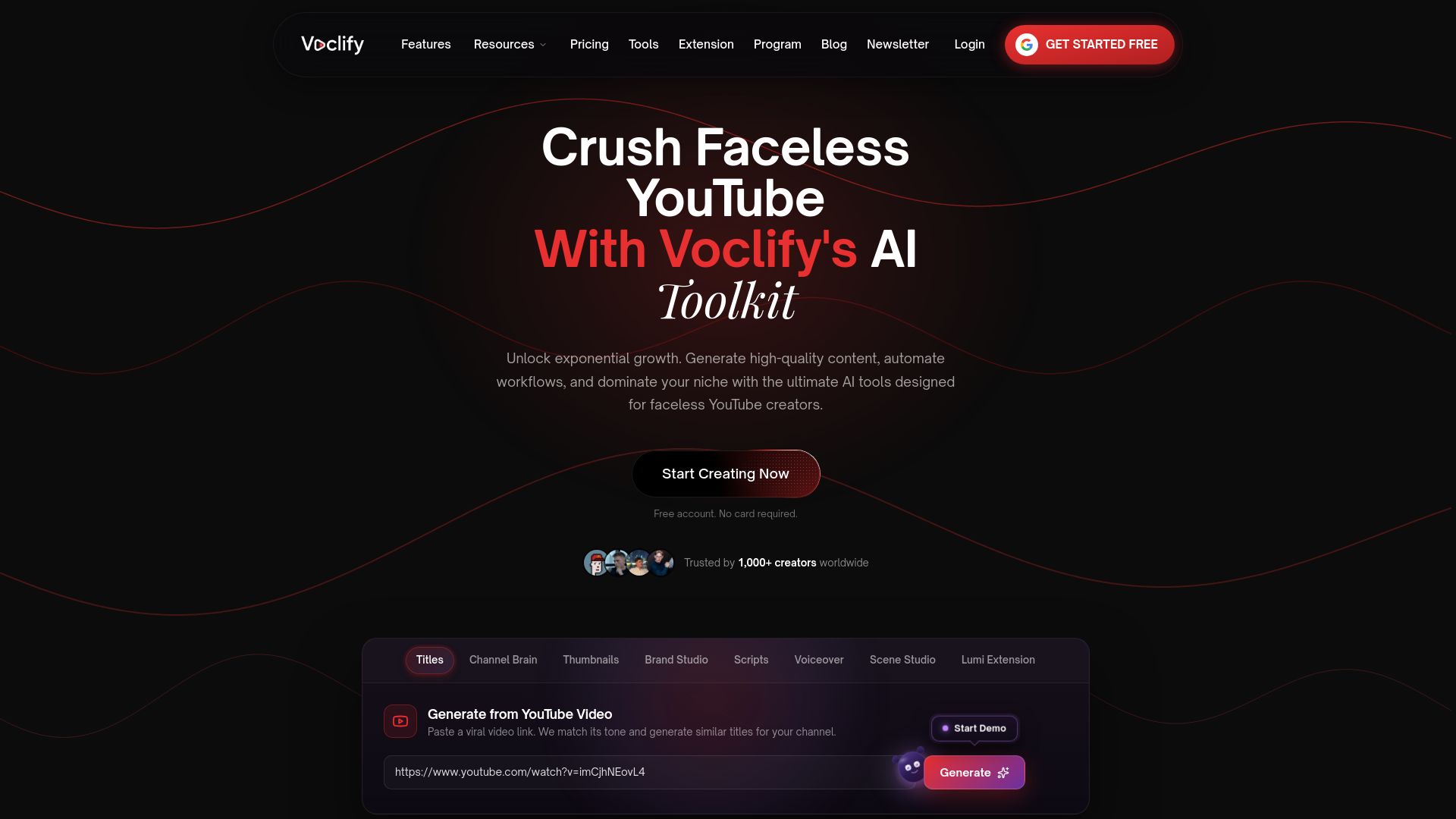
If thumbnails are your bottleneck, the AI thumbnail generator builds variants from real, proven styles rather than a blank canvas. If clarity in your title copy is the issue, pairing it with the thumbnail text generator helps you land scroll-stopping phrasing without guessing at word count limits. Creators who want a more structured, hands-on path can look at the YouTube Faceless Operator Program for guided workflows instead of building the testing process alone.
Ready to see the full toolkit in action? Check the Starter, Growth, and Studio plans and start running your first title and thumbnail test this week.
Sources
For deeper reading beyond this guide, a few sources stand out. YouTube’s Reach report documentation is the definitive reference for how impressions and CTR relate to watch time inside Studio. Search Console’s guide to identifying low-CTR pages walks through the exact filtering steps for search-driven content. For benchmark context, the YouTube CTR benchmark breakdown is useful for knowing whether your number is actually a problem. And for anyone running affiliate content alongside video, the Affiliate Link Health Benchmark helps diagnose click leaks that can masquerade as a CTR issue.
- GSC CTR Optimization: The Complete 2026 Guide to Turning Impressions into Clicks
- YouTube Video Benchmarks - Industry Standards (2026)
FAQ
Is a 2% CTR Bad?
A 2% CTR sits at the bottom edge of the below-average tier, where poor is anything under 2%. It’s not automatically a failure, since niche and traffic source matter, but it’s a strong signal your thumbnail and title need a rewrite and test.
What Does a Low CTR Indicate?
Low CTR usually points to a mismatch between what your thumbnail and title promise and what viewers actually want, or to a traffic mix weighted toward cold Suggested impressions rather than warm Browse traffic. It can also reflect a measurement artifact from too small a sample, so always check impression volume before diagnosing a real problem.
Is a 4.2% CTR Good?
A CTR in the average range of 4 to 6% is solid but not exceptional.
Why Is CTR So Low?
CTR usually drops for one of a few reasons: unclear thumbnail and title pairing, a traffic mix skewed toward cold audiences, creative fatigue from repeating the same visual pattern, or mobile legibility problems that cut off titles and shrink thumbnail text. Running the diagnostic checks in YouTube’s Reach report usually narrows it down within a few minutes.
Recommended

Get more of this in your Google results
Add voclify.io as a preferred source and Google shows you more of our articles in Search and AI Mode.