To write a high retention YouTube script, build it in a fixed order: a hook that makes one promise, a short bridge that proves the promise is real, sections linked by open loops, pattern interrupts where the energy would otherwise sag, and a retention check on the finished draft before you film. Retention is not magic. It is the result of a hundred small choices about what the viewer hears next, and a script is where you make them cheaply.
Most advice on this topic gives you timings (a hook in 5 to 10 seconds, a pattern interrupt every 60 to 90 seconds) and stops. Those numbers are creator heuristics, not YouTube rules. This guide gives you one ordered workflow, ties every step to the metrics YouTube actually reports (Intro, dips, spikes, top moments), and ends with a check you run on the draft so you are not learning from a flop.
What makes a YouTube script high retention?
A high retention script gives the viewer a reason to keep watching at every moment, and removes every moment where they could reasonably leave. That is a different goal from a script that is informative or well written. A paragraph can be accurate and elegant and still be the exact second a viewer clicks away.
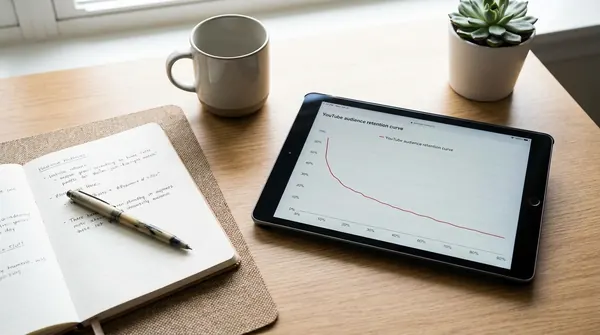
YouTube defines the evidence you will judge this against. Its key moments for audience retention report shows how well different moments of a video held attention. A flat line means viewers watched that part start to finish. Gradual declines are normal, because videos generally taper off during playback. A dip is a moment viewers skipped or abandoned, a spike is a moment that was rewatched or shared, and a top moment is a stretch where almost no one dropped off.
So the practical definition is this: a high retention script has a strong first 30 seconds, no avoidable dips, and its best content early enough that most of the audience is still there to see it. Everything below is a way of building that into the page.
How do you write a hook that survives the first 30 seconds?
Write the hook last, after the rest of the script exists, then keep it to one promise the video can actually keep. Third party guidance from SUMERA's script writing guide suggests landing the hook in the first 5 to 10 seconds. Treat that as a sensible target, not a law. What matters is that the viewer knows within a few spoken sentences what they will get and why it is worth their time.
Why last? You cannot promise what you have not written. Writing the body first means the hook describes the real video, not the video you imagined while brainstorming.
A workable hook has three parts, in this order:
- The payoff, stated concretely. "In the next eight minutes I'll show you the three edits that cut a 14 minute draft to 9 without losing a single idea."
- The tension. What goes wrong without this, or what is surprising about it. One sentence.
- The reason to stay. A hint of what is coming that the viewer cannot get by skimming the title.
Match the hook to the title and thumbnail. YouTube's own guidance on a weak Intro percentage is to change the thumbnail and title so they better reflect the content, and to modify the first 30 seconds and experiment with different styles. A hook that fights the packaging loses viewers who clicked for something else. If you want a deeper treatment, our guides on hooks that keep viewers past 30 seconds and a hook formula that works in any niche go further.
Cut the throat clearing. Greetings, channel intros, "before we start, subscribe" and any recap of who you are belong after the hook, if anywhere. Every second of preamble is a second where the viewer is deciding whether to stay with nothing to hold them.
How do you bridge from the hook to the main content without losing viewers?
Use the stretch from about 10 to 30 seconds as a bridge: confirm the promise is real, give proof or context, and show the viewer the path ahead. SUMERA suggests a retention bridge in that window, which lines up neatly with YouTube's Intro metric, the percentage of your audience still watching after the first 30 seconds.
The bridge has one job: make the viewer feel that the hook was not a trick. Good bridges do one or more of these:
- Credibility in a line. Why you can speak to this ("this is the exact structure behind the three videos on this channel that held viewers longest"), without a life story.
- A roadmap. "First the hook, then loops, then the check you run before filming." Viewers who know the shape tolerate the middle better.
- A first piece of value. Give something useful inside the bridge so the viewer has already been rewarded for staying.
The most common bridge mistake is a slow, generic setup ("so, today we're going to talk about..."). The viewer has already heard the topic in the title. Spend those seconds on something new instead.

How do you use open loops to carry viewers between sections?
An open loop is a question or promise raised early and answered later, which gives the viewer a reason to keep watching until the answer arrives. Place one at the end of every section, pointing at something in the next. Close it where you said you would, and open a fresh one right away.
Here is the same transition with and without a loop:
| Without a loop | With a loop |
|---|---|
| "That covers the hook. Next, let's talk about pacing." | "That's the hook. But the hook only gets them to second 30. The thing that actually decides whether they reach minute five is something most scripts skip, and it's coming up." |
| "Now we'll look at editing." | "Before editing, there's one change to the script that makes every cut easier. It's the last thing in this section." |
Rules that keep loops honest:
- Always pay them off. An unresolved loop reads as a bait and switch, and viewers who feel baited leave. If you promise "the third mistake is the one that costs the most views", the third mistake must actually be that.
- Keep loops specific. "You won't believe what happened next" is empty. "Why the shortest section ended up being the most rewatched" is a real question.
- Do not stack more than two or three at once. Too many open threads and the viewer forgets what they were waiting for.
- Use a macro loop for the whole video. The promise in the hook ("by the end you'll have a checklist") is the biggest loop. Honor it in the last section, not at minute two.
Open loops are also your defense against the pattern YouTube warns about: if your top moments occur late in the video, YouTube recommends introducing the compelling content earlier, because audience sizes typically decrease over the length of the video. A loop that makes viewers wait for the best part works against that advice. Use loops to connect good content, not to postpone it.
Where should pattern interrupts go in a script?
Put a pattern interrupt wherever the script has been in the same mode for a while, and mark it in the script itself so it survives into the edit. SUMERA suggests one roughly every 60 to 90 seconds. That is a rule of thumb. The real test is your retention graph, where a flat stretch is fine and a slope is the cue to add variety.
A pattern interrupt is any change that resets attention: a new visual, a shift in tone, a direct question to the viewer, a quick example after an abstract point, a sound effect, a cut from voiceover to a screen recording, a sudden short sentence after a long explanation. For faceless channels, the script is where you plan these, because you cannot rely on a presenter's face and gestures to do it for you. Our guides on editing faceless YouTube videos and B-roll for low budget videos cover the visual side.
Write them in as stage directions. For example:
[0:00 to 0:08] HOOK. Fast cuts, no logo.[1:20] INTERRUPT: on-screen counter appears, music drops out for one beat.[2:40] INTERRUPT: switch from voiceover to screen recording of the actual draft.
Vary the type of interrupt. Five identical zoom-ins in a row stops working because viewers learn the pattern, which defeats the point. Mix visual, verbal and structural changes, and never add an interrupt purely to hit a number. A change with no purpose reads as noise.
How long should the script be for your video length?
Plan about 150 spoken words per minute, so a 10 minute video needs roughly 1,500 words. SUMERA uses that figure as a planning number for on camera delivery, and it is a good default for a voiceover too. Use it to set a word budget before you write a sentence.
| Target length | Approx. script words (at 150 wpm) |
|---|---|
| 5 minutes | 750 |
| 8 minutes | 1,200 |
| 10 minutes | 1,500 |
| 15 minutes | 2,250 |
Your real pace will differ. Read one finished paragraph aloud with a timer, then recalculate. Fast, punchy delivery can run well above 150 words per minute, while a calm documentary voice runs below it. The point of the number is not precision, it is to stop you writing 2,400 words for a video you meant to be eight minutes and then padding the edit.
The better rule is to write to the idea, not the clock. If the content is done at 1,100 words, the video is eight minutes long, and a shorter video that holds viewers beats a longer one that loses them. If you want help shaping the structure first, see our notes on a video outline and script templates.
How do you run a retention check on a finished draft?
Read the whole draft aloud against a timer, then audit it against five questions that mirror the metrics YouTube reports. Do this before you record, because it is far cheaper to cut a paragraph than to reshoot one.
- The 30 second test. Time the first 30 seconds spoken. Does the viewer know the promise, see a reason it is credible, and have no filler before the first piece of value? This is your Intro percentage in advance.
- The promise and payoff map. Highlight every promise and every loop in one color, every payoff in another. Each highlight in the first color needs a match later. Delete or fix any orphan.
- The front load test. Mark your single most compelling moment. If it sits in the back half, move it earlier or tease a smaller version of it up front. YouTube's guidance is to introduce compelling content earlier because audiences shrink over the length of the video.
- The sag scan. Find any stretch of 60 to 90 seconds (or whatever your own graphs suggest) with no change of mode. Add an interrupt or cut the stretch. Read it aloud and note where you yourself get bored, since that is where viewers will leave too.
- The clarity scan. A spike can mean viewers rewatched a section because it was great, but YouTube notes it can also mean the content was unclear. Anything you had to reread to understand will be rewound. Simplify it or add an example.
Then cut. Remove any sentence that repeats the previous one, any throat clearing at the top of a section, and any transition that only announces what you are about to do. If you cannot say what a paragraph earns the viewer, it is a candidate for deletion. For a script that is already written and needs tightening, our guide to writing a YouTube script using AI and the one on turning research into a script show how to iterate on a draft quickly.
How do you read the retention report after publishing to fix the next script?
Open the video's audience retention report in YouTube Studio, look at the Intro percentage first, then find the dips, spikes and top moments, and tie each one back to a line in your script. Per YouTube Helpsign in to YouTube Studio, select Content from the left menu, select Analytics on the video, then open the Overview or Engagement tab and look for the audience retention report.
A few facts that save you confusion:
- The report is only available at the video level, not for the whole channel.
- Retention data typically takes 1 to 2 days to process, so do not judge a video in the first hour.
- Key moments are only highlighted if detected, and the video must be at least 60 seconds long and have at least 100 views.
- Absolute Retention shows retention as a percentage of total views and can exceed 100% when viewers rewind and rewatch. Relative Retention compares your video with videos of similar length. (YouTube's analytics blog post defines these, but it is older, so use it for definitions only.)
Now diagnose with the script open next to the graph:
| What you see | Likely script cause | Fix in the next script |
|---|---|---|
| Low Intro percentage | Hook or bridge does not match the title and thumbnail, or the first 30 seconds are slow | Rework the packaging and the opening; test a different style, as YouTube suggests |
| A sharp dip mid-video | A section viewers skipped or abandoned | Review the exact moment, as YouTube advises, then shorten, add an interrupt or move it later |
| A spike | A strong moment, or an unclear one viewers had to rewatch | Replay it. If it is great, do more of it. If it is confusing, simplify |
| Top moments late in the video | Best content buried | Introduce the compelling content earlier |
Keep a running note of what each video taught you, and resist the urge to overreact to one video. For the mechanics of finding the report and reading the rest of Analytics, see how to see audience retention on YouTubehow to read YouTube Analytics and our broader audience retention strategies.
Which AI script writing tools can speed up this process?
AI tools are best used for the slow parts: getting a first structured draft, tightening a weak hook, and checking pacing. They cannot know your audience's retention graph, so the retention check above stays your job. Pick the tool by the stage where you lose the most time.
Full disclosure: Voclify is our product. Voclify's Script Generator drafts scripts from 2 to 30 minutes with retention aware pacing and Shorts beat structure, and its Script Rewriter takes an existing script or a YouTube transcript back with tighter hooks and better pacing. It does not edit video, host it or schedule it, and it does not replace reading your own analytics.
For a side by side view of the options, including their strengths and limits, read our comparison of the best AI script writing tools for YouTube. If your videos are long form factual pieces, AI script tools for documentary faceless videos narrows it further. To keep AI drafts sounding like you, read about keeping your channel voice consistent.
Sources
- YouTube Help: Measure key moments for audience retention
- YouTube Official Blog: How to master your data with YouTube Analytics
- SUMERA: Video Script Writing for YouTube: Hook, Retention, Structure
FAQ
How long should a YouTube hook be?
Aim for roughly 5 to 10 seconds, which is the window third party guidance such as SUMERA suggests, though it is a heuristic and not a YouTube rule. The real deadline is 30 seconds, because YouTube's Intro metric shows the percentage of viewers still watching at that point. Make the promise clear fast and use the bridge to carry viewers to second 30.
How often should I add a pattern interrupt in a YouTube video?
A common creator guideline is one every 60 to 90 seconds, but it is a starting point, not a requirement. Check your retention graph: flat stretches mean what you are doing works, and sloping stretches are where to add a visual, tonal or structural change. Vary the type so viewers do not learn the pattern.
What is an open loop in a YouTube script?
An open loop is a question or promise you raise early and answer later, giving the viewer a reason to keep watching until the payoff. Always pay it off where you said you would, and keep it specific, such as "why the shortest section was the most rewatched". An unanswered loop feels like bait and costs trust.
How many words should a 10 minute YouTube script be?
About 1,500 words at a planning figure of 150 spoken words per minute. Read one finished paragraph aloud with a timer to find your real pace, then adjust the word budget. A faster delivery needs more words, a calm voiceover needs fewer.
What is a good audience retention percentage on YouTube?
YouTube does not publish one target number, and it says gradual declines are normal because videos taper off during playback. Compare your video against others of similar length using Relative Retention, and watch your Intro percentage (viewers still watching after 30 seconds) as the early signal. Improve against your own channel's history first.
Can AI write a high retention YouTube script?
AI can produce a structured first draft with a hook, sections and pacing, which saves real time. It cannot see your audience's retention graph, so you still need to run the pre-filming check and read your post-publish report. Treat AI as a drafting aid and your analytics as the judge.

Get more of this in your Google results
Add voclify.io as a preferred source and Google shows you more of our articles in Search and AI Mode.