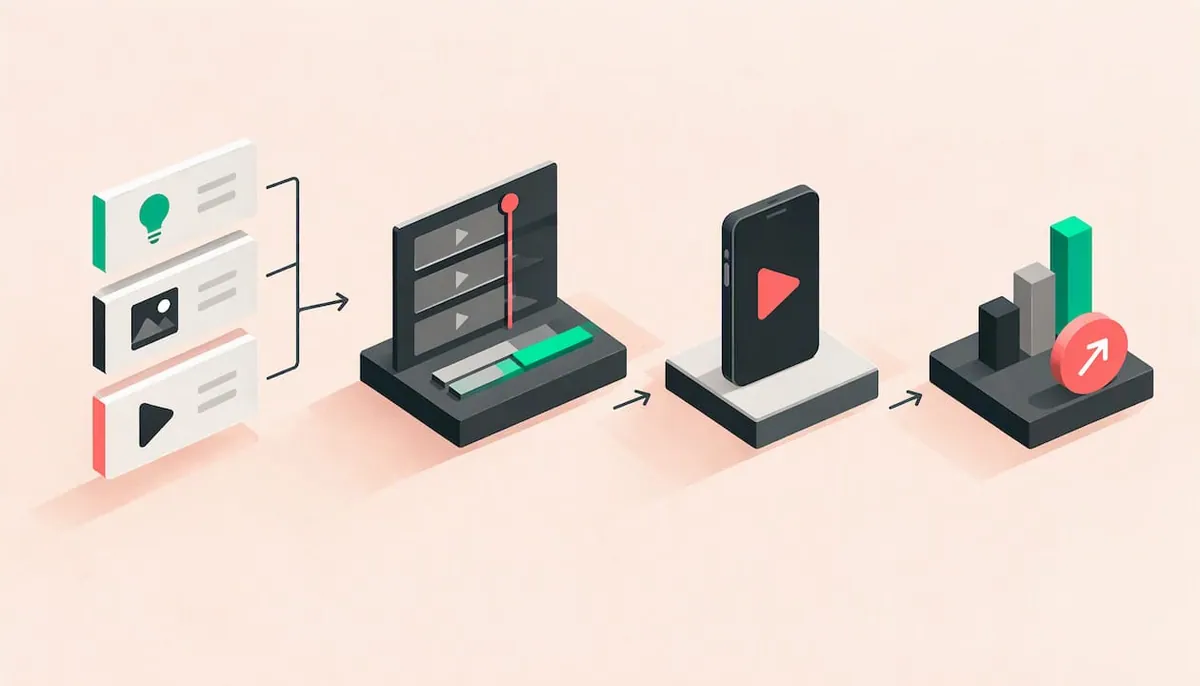
To make a YouTube Short with AI, write a short script that opens with the hook, turn it into a voiceover with an AI voice, generate or collect vertical 9:16 visuals for each beat, burn in captions, then export and upload. You never need to appear on camera. The whole pipeline can run on a phone or laptop, and a finished Short is mostly a matter of doing these five steps in order.
What do you need before making a YouTube Short with AI?
You need five things: one specific idea, a script tool, a voiceover tool, a source of vertical visuals, and an editor that can burn in captions and export 9:16. Everything else is optional.
Here is a minimal setup that works for a faceless channel:
- One idea with one payoff. A Short is a single point, not a mini documentary. "Why your phone battery dies faster in the cold" is a Short. "Everything about phone batteries" is not.
- A script generator. Any AI writing tool works, but one built around Shorts beats saves you from rewriting long-form pacing into short-form.
- An AI voice. Either a text-to-speech tool or your own cloned voice.
- Visuals. AI-generated clips, stock footage, screen captures, or generated images with motion.
- An editor. Any editor that handles 9:16, captions and audio. If you need a refresher on cutting faceless footage, see how to edit faceless YouTube videos, step by step.
Decide the length before you start. A common workflow in current guides runs five steps: plan a hook and quick beats, generate vertical shots, add voiceover or music, burn in captions, then cut tight and export. The steps below follow that order, with the faceless-specific details filled in.
How do you write a Short script with AI that hooks in the first two seconds?
Write the opening line first and make it understandable within the first two seconds. One current guide advises exactly this for a Short under 60 seconds: write the hook before anything else. If the first line needs context to land, rewrite it.
A reliable structure for a 30 to 45 second faceless Short has four beats:
- Hook (0 to 3 seconds): a surprising claim, a question the viewer already has, or a result. No greeting, no channel name.
- Setup (3 to 10 seconds): one sentence of context that makes the hook make sense.
- Payload (10 to 35 seconds): two or three quick beats, each one sentence, each tied to a new visual.
- Landing (last 3 to 5 seconds): the punchline, a loop back to the hook, or one clear next step.
When you prompt an AI for the draft, give it constraints instead of a vague request. For example: "Write a 35 second YouTube Short script about why phones die faster in the cold. Open with a hook of 12 words or fewer. Use five beats of one sentence each. Spoken English, no jargon, no greeting. End by looping back to the first line." Then read the result out loud. Anything you stumble over, the AI voice will stumble over too.
Count words as a rough timing check. Spoken narration usually lands somewhere around 2.5 to 3 words per second, so a 35 second Short is roughly 90 to 105 words. Treat that as a starting estimate and confirm it against your actual voiceover length. For deeper hook work, the guides on AI hook generators and high retention scripts go further.
How do you generate a voiceover for a faceless Short?
Paste your finished script into an AI voice tool, pick a voice that matches the topic, generate the audio, and listen for pacing and mispronounced words before you move on. Do this before you make visuals, because the voiceover length decides how long every scene runs.
A workable process:
- Clean the script for speech. Spell out numbers and acronyms the way you want them said, and split long sentences.
- Generate the audio and listen once all the way through without looking at the script.
- Fix any mispronounced word by respelling it phonetically in the script, then regenerate only that line.
- Trim long pauses. Dead air at the start of a Short costs you viewers in the first second.
- Export the audio as a single file so your editor has one clean track to build on.
Voice choice matters more than most creators expect. A calm, low voice suits explainers and facts. A faster, brighter voice suits lists and trivia. Pick one voice and keep it, so viewers recognize the channel. If you want to go deeper on delivery, read how to direct an AI voiceover and how to voiceover with AI from script to final edit. Voclify's Voiceover Generator also turns scripts into voiceovers using your own ElevenLabs voices, with faceless-creator presets and voice design built in.
How do you create vertical visuals for each script beat?
Break the script into beats, give each beat one visual, and generate or source every clip in 9:16 vertical from the start. Cropping a horizontal clip into vertical later usually cuts off the part you needed.
Your realistic options for a faceless channel are:
- AI-generated clips or images with motion. Good for abstract or fictional scenes. Keep prompts specific: subject, setting, camera angle, mood.
- Stock footage. Fast and reliable for generic b-roll. See the best stock footage sources for options.
- Screen recordings and text cards. Ideal for software, finance and how-to topics.
- Simple kinetic text. Big words on a clean background still hold attention if the cuts are quick.
Plan a visual change every two to four seconds. A static image for the whole Short reads as a slideshow. Turning your script into a shot list first saves hours, and how to storyboard YouTube videos from a script shows a clean way to do it. A practical rule: one sentence of script equals one visual, with an extra cut inside any sentence longer than about five seconds.
How do you add captions that stay inside the safe area?
Generate captions from your voiceover, burn them into the video, and keep them in the middle band of the frame, away from the top and bottom edges. Current guidance is to keep faces, products and important text away from the top and bottom edgeswhere YouTube interface elements can cover them.
Practical caption settings:
- Position: centered horizontally, roughly in the middle third vertically. The bottom of a Short carries the title, channel name and buttons, so captions placed there get hidden.
- Chunk size: two to five words per caption. One word at a time can feel frantic. A full sentence is too much to read.
- Style: a bold sans-serif font, white text with a dark outline or shadow. Highlighting the word being spoken helps keep eyes moving.
- Accuracy: auto-generated captions still mishear names and jargon. Read every line once before export.
Burned-in captions are separate from YouTube's own caption track. If you also want searchable captions, YouTube captions vs subtitles explains where each one helps. Before you post, review the finished Short with sound on and on mute. A large share of viewers watch muted, so the captions and visuals must carry the message on their own.
How long can a YouTube Short be in 2026, and what music can you use?
A YouTube Short can be up to three minutes long. YouTube Help states that square or vertical videos up to three minutes uploaded on or after October 15, 2024 are categorized as Shorts. The same page lists a later rule for videos uploaded on or after December 8, 2025: square or vertical videos up to three minutes are categorized as Shorts and can be monetized according to your monetization agreement with YouTube.
That does not mean longer is better. A one-point idea still works best at 20 to 45 seconds. Use the extra room only when the content needs it, such as a short story or a three-part explainer.
For music, the rules are tighter than the length cap. In a three-minute Short you can use most songs from the Shorts Audio Library for up to 90 seconds, and some tracks are limited to 60 or 30 seconds, per the same YouTube Help page. YouTube also says royalty-free music from the YouTube Audio Library won't receive a Content ID claim. If you use outside music, read how to license music for YouTube without copyright strikes first.
| Short length | Best for | Rough script size |
|---|---|---|
| 15 to 25 seconds | One fact, one reveal, loopable | 45 to 70 words |
| 30 to 45 seconds | Explainers, lists of three, quick stories | 90 to 130 words |
| 60 to 90 seconds | Mini stories, step-by-step demos | 170 to 260 words |
| 2 to 3 minutes | Short narratives, only if retention holds | 350 to 520 words |
Word counts assume roughly 2.5 to 3 spoken words per second, which is an estimate you should check against your own voice.
How do you export and upload your AI Short?
Export a vertical 9:16 file with the audio, visuals and captions baked in, then upload it from YouTube Studio or the YouTube app. A guide to Shorts with AI describes the app route as tapping Create, then Upload a videoor uploading through YouTube Studio.
Follow this export checklist:
- Confirm the aspect ratio is 9:16 vertical (1080 x 1920 is the standard target).
- Watch the whole file once with sound on, then once on mute.
- Check facts, caption placement and the final second. The ending is where Shorts most often get cut off or fade awkwardly.
- Write a title that states the payoff. If you need ideas, the AI title generator comparison helps.
- Upload through YouTube Studio, then Create, then Upload videosor through the app, and answer the audience and disclosure questions.
- Publish, then check performance after a few days instead of a few minutes.
If you repeat this pipeline weekly, a fixed process pays off. A YouTube Shorts workflow for faceless channels covers how to batch these steps so you are not rebuilding the process each time.
Do you have to label AI-made Shorts as synthetic content?
Only sometimes. You tick the altered or synthetic content box at upload when a video looks realistic and was made or meaningfully changed with AI. One summary of YouTube's disclosure page gives examples such as a real person shown saying something they didn't, or generated footage of a real place.
That same summary says the label is not needed for captions, voice repair, cloning your own voice for narration, or using AI for the script, title or thumbnail. Because policy details change, verify the current wording on YouTube's own disclosure page before you publish. For a faceless creator using an AI voice over stylized or stock visuals, the label usually is not triggered, but a realistic AI-generated clip of a real person or real event is where you should tick it.
Disclosure also does not appear to punish you in recommendations. YouTube's recommendations help page reportedly says AI-made videos can be recommended as broadly as videos made without AIand the rule that applies is disclosure of realistic altered or synthetic content. For the broader picture, see YouTube's automation policy in 2026.
How do you keep AI Shorts from looking mass-produced or unoriginal?
Add something of your own to every Short: an original script angle, your own structure, a consistent voice and a distinct visual style. This is not just good taste. YouTube posted "Prioritizing original content on Shorts" in the YouTube Help Community, saying it will reduce the reach of content re-uploaded from other creators without adding anything of your own.
Concrete ways to stay on the right side of that line:
- Do not lift other creators' clips or scripts. Reworded is not the same as original. Build from research, then write your own take.
- Pick a repeatable format. A fixed beat structure, a fixed voice and a fixed caption style make a channel recognizable instead of generic.
- Have a point of view. Add a claim, a comparison or a conclusion the viewer would not get from a raw fact list.
- Vary the visuals. Ten Shorts with the same stock clip and different audio look like spam.
- Keep a style guide. A voice style guide for faceless channels keeps scripts consistent as you scale.
Mass-produced content also tends to get rejected at monetization review. Reused content rejections are a common reason channels get turned down, so building originality into the pipeline from the start is cheaper than fixing it later.
Sources
- Understand three-minute YouTube Shorts - YouTube Help
- Make YouTube Shorts With AI: Templates, Rules and Monetization
- YouTube Algorithm in 2026: How Recommendations Work
- How to make YouTube Shorts with AI - OpenArt
- How to Make a YouTube Short or Reel With AI (Guide)
- AI YouTube Shorts Generator: Create Shorts
- Make YouTube Shorts with AI (Full Guide with Prompts)
FAQ
How do I make a YouTube Short with AI for free?
Use a free AI chatbot to draft the script, a free text-to-speech tool for the voiceover, free stock footage or your own screen captures for visuals, and a free editor to add captions and export 9:16. Free tiers often add watermarks or cap export length, so check each tool's limits before you commit to a workflow.
Can you make YouTube Shorts without showing your face?
Yes. Faceless Shorts use an AI or recorded voiceover over stock footage, AI-generated clips, screen recordings or animated text. YouTube's own rules do not require a person on camera, only that the content is original and follows disclosure rules for realistic synthetic media.
How long can a YouTube Short be in 2026?
Up to three minutes. YouTube Help says square or vertical videos up to three minutes uploaded on or after October 15, 2024 are categorized as Shorts. Most single-idea Shorts still perform best when they stay much shorter than the cap.
Do I have to label AI-generated YouTube Shorts?
Only when the video looks realistic and was made or meaningfully changed with AI, such as generated footage of a real place or a real person shown saying something they did not. Using AI for the script, captions or title generally does not need the label, but confirm against YouTube's current disclosure page.

Get more of this in your Google results
Add voclify.io as a preferred source and Google shows you more of our articles in Search and AI Mode.